Check out my apps here
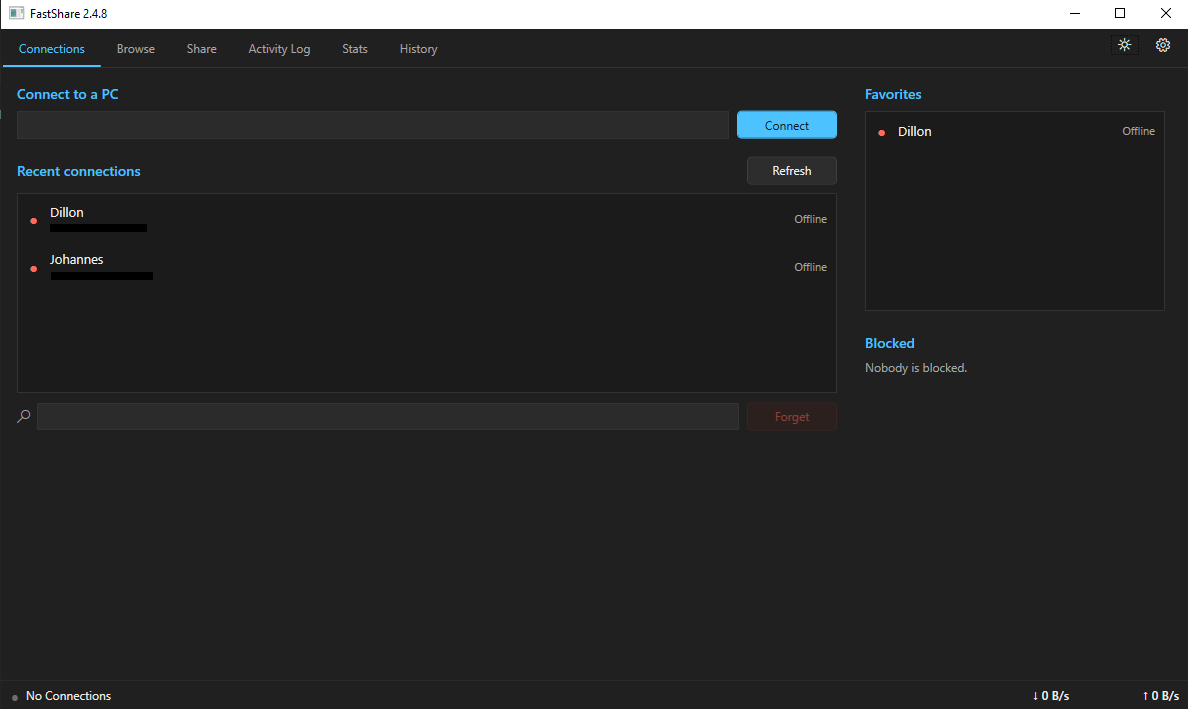
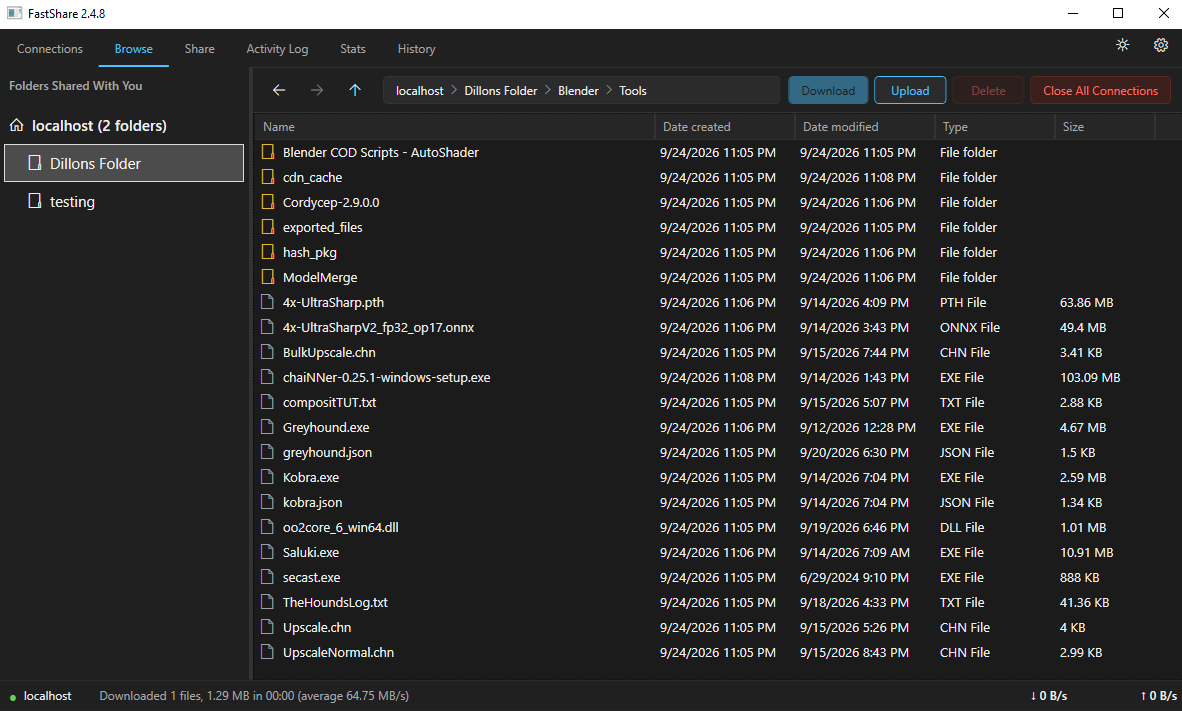
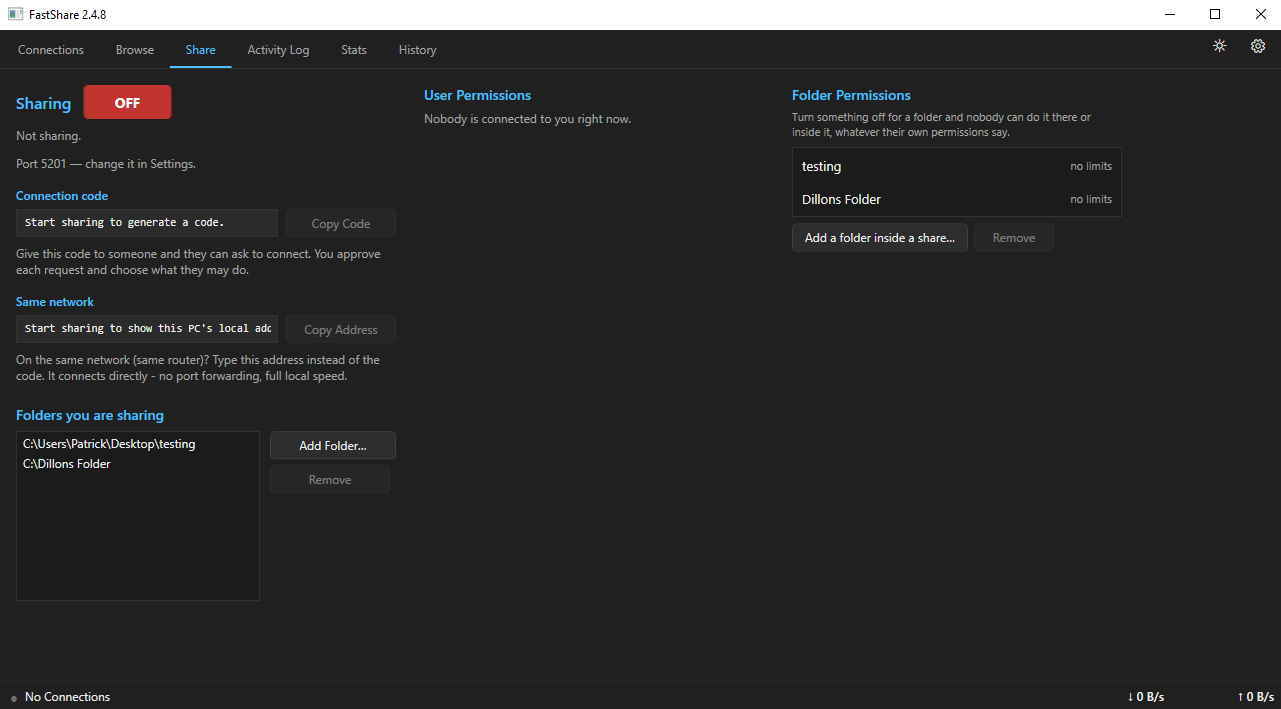
Fast Share
Creator: Patrick Price
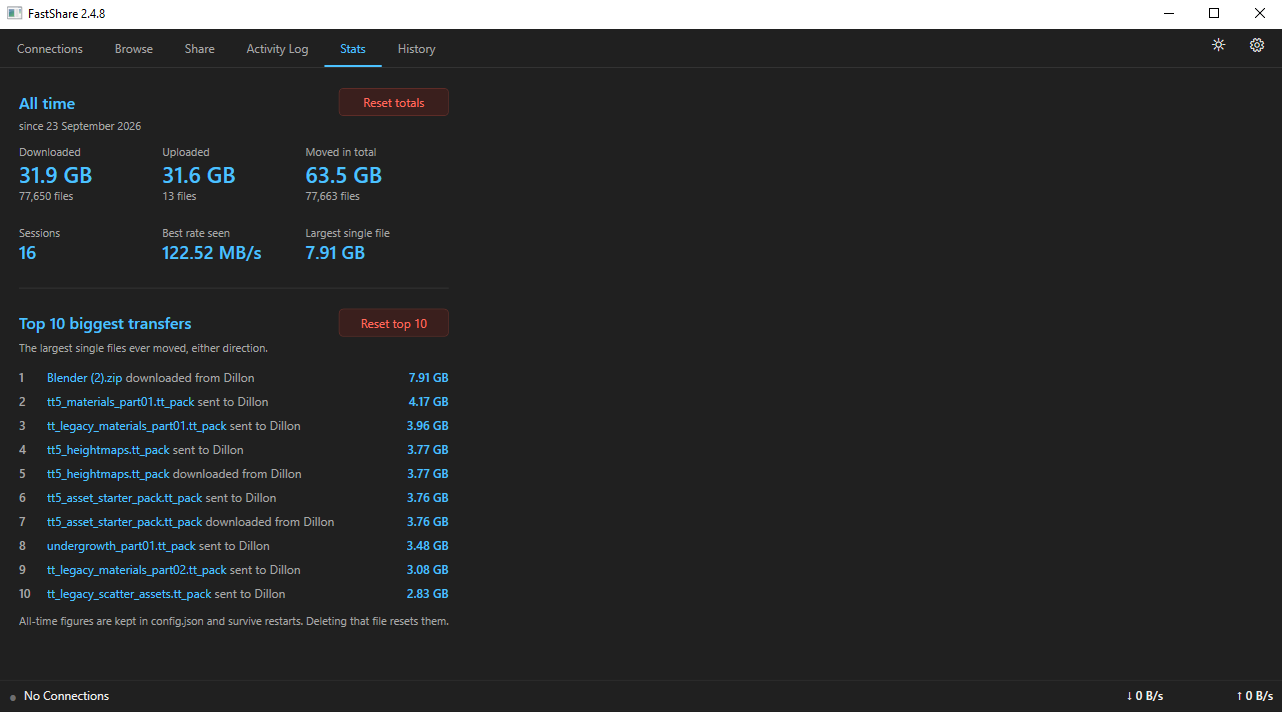
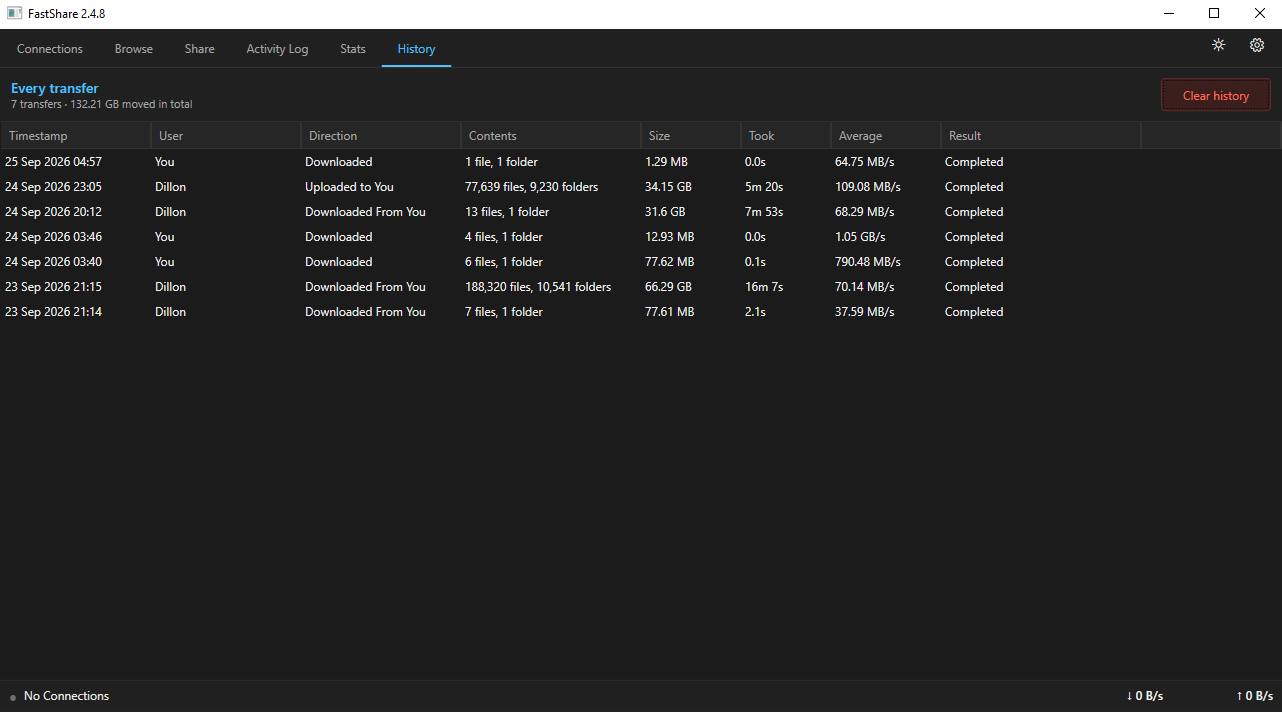
A high-performance peer-to-peer file sharing application built for Windows, designed for fast and direct transfers.
Release Date: September 13, 2026
Last Updated:
Latest Version: V2.4.42
System Requirements
OS: Windows 10 or 11 (64-bit).
Installer: Installs for your Windows user with a Start menu shortcut. No admin rights needed.
Portable: Extract the .rar anywhere and run FastShare.exe.
Host: Requires UPnP enabled on your router or TCP Port 5201 manually forwarded to receive connection requests.
Client: No port forwarding or special network configuration required—simply connect and download.
Application Images
Patch Notes
V2.4.42 October 26, 2026
- Shows "Playing Fast Share" on your Discord profile (sharing, or a transfer's progress). Turn it off in Settings > Window.
Audio2Text
Creator: Patrick Price
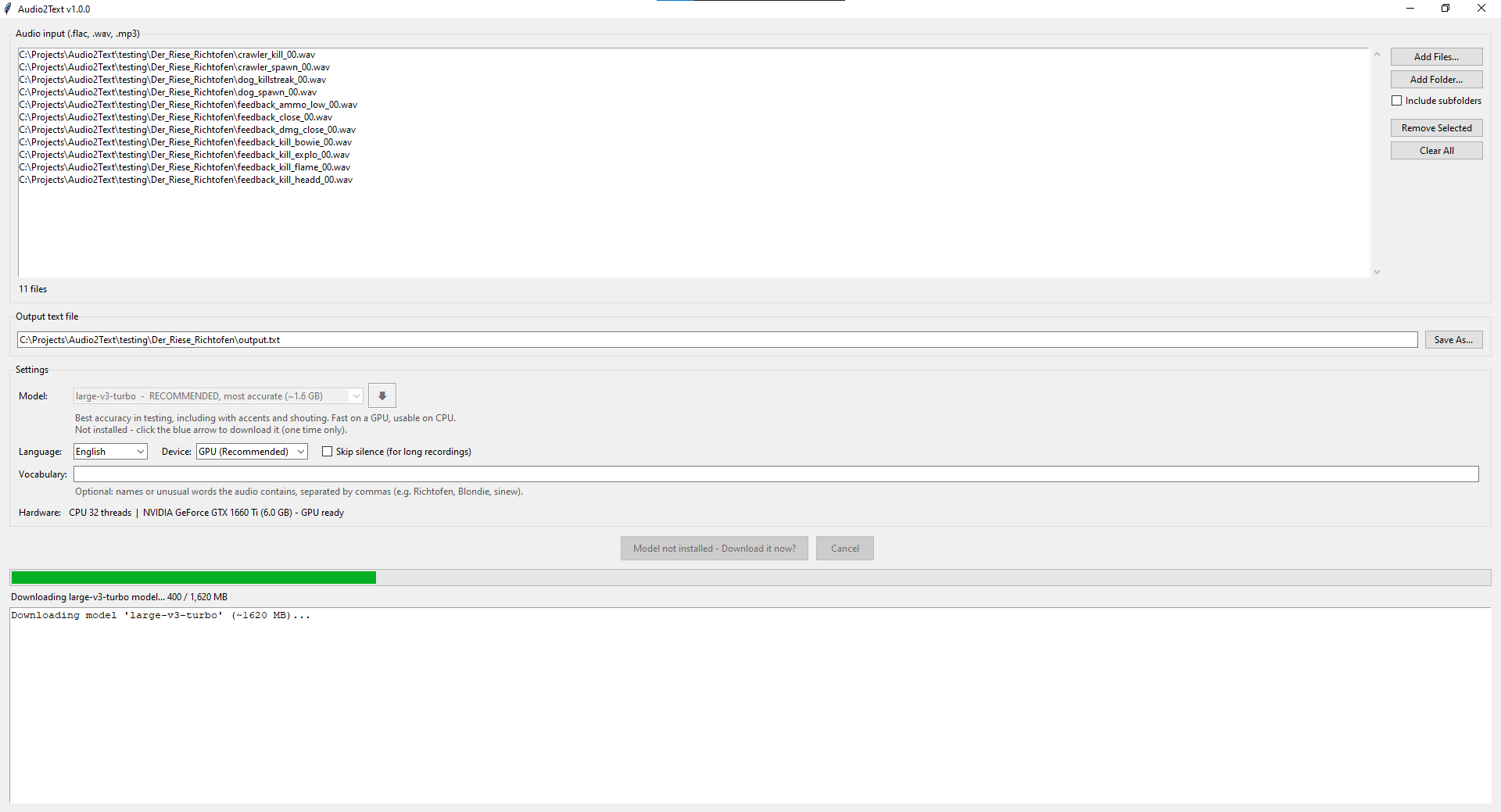
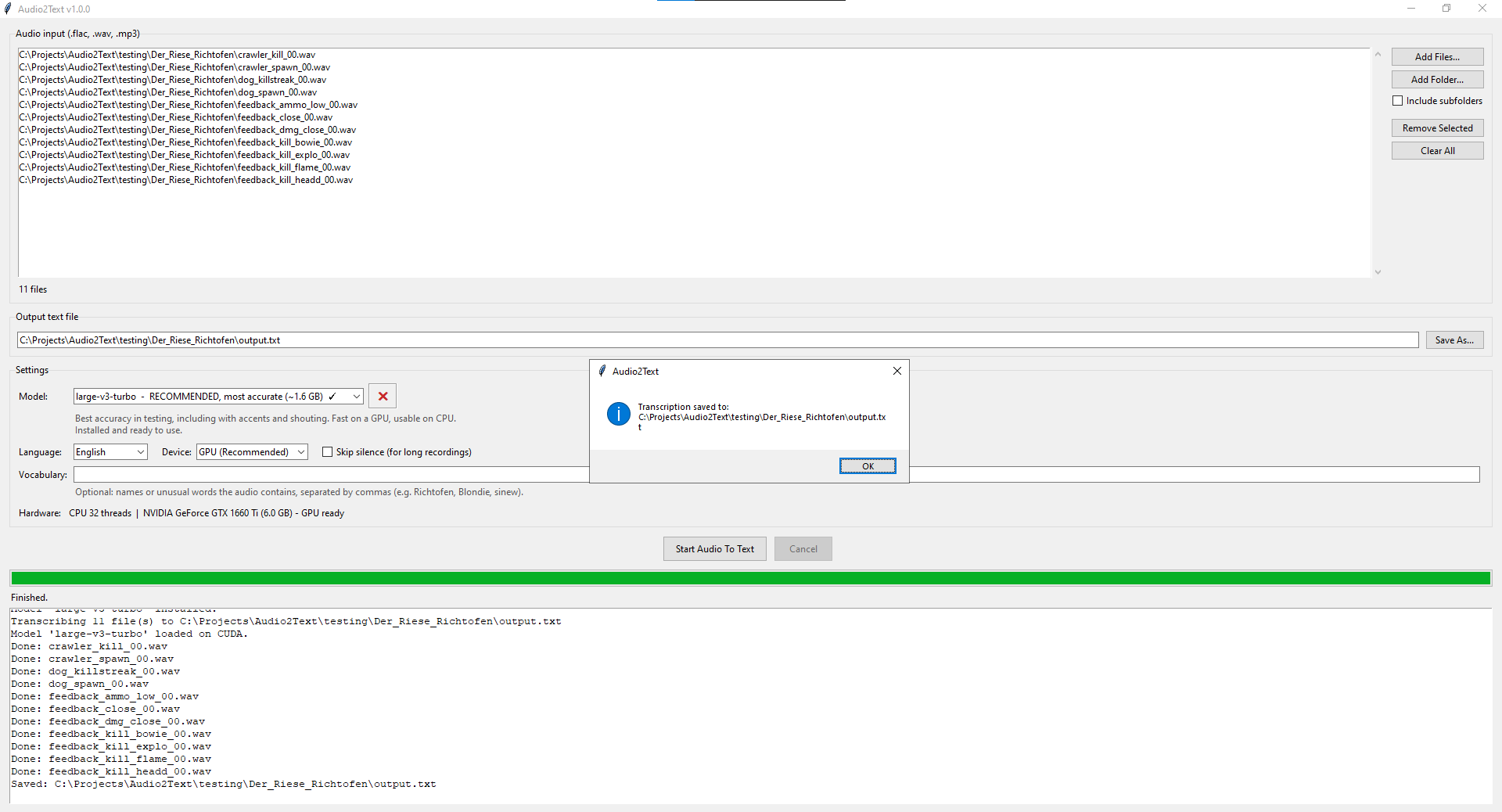
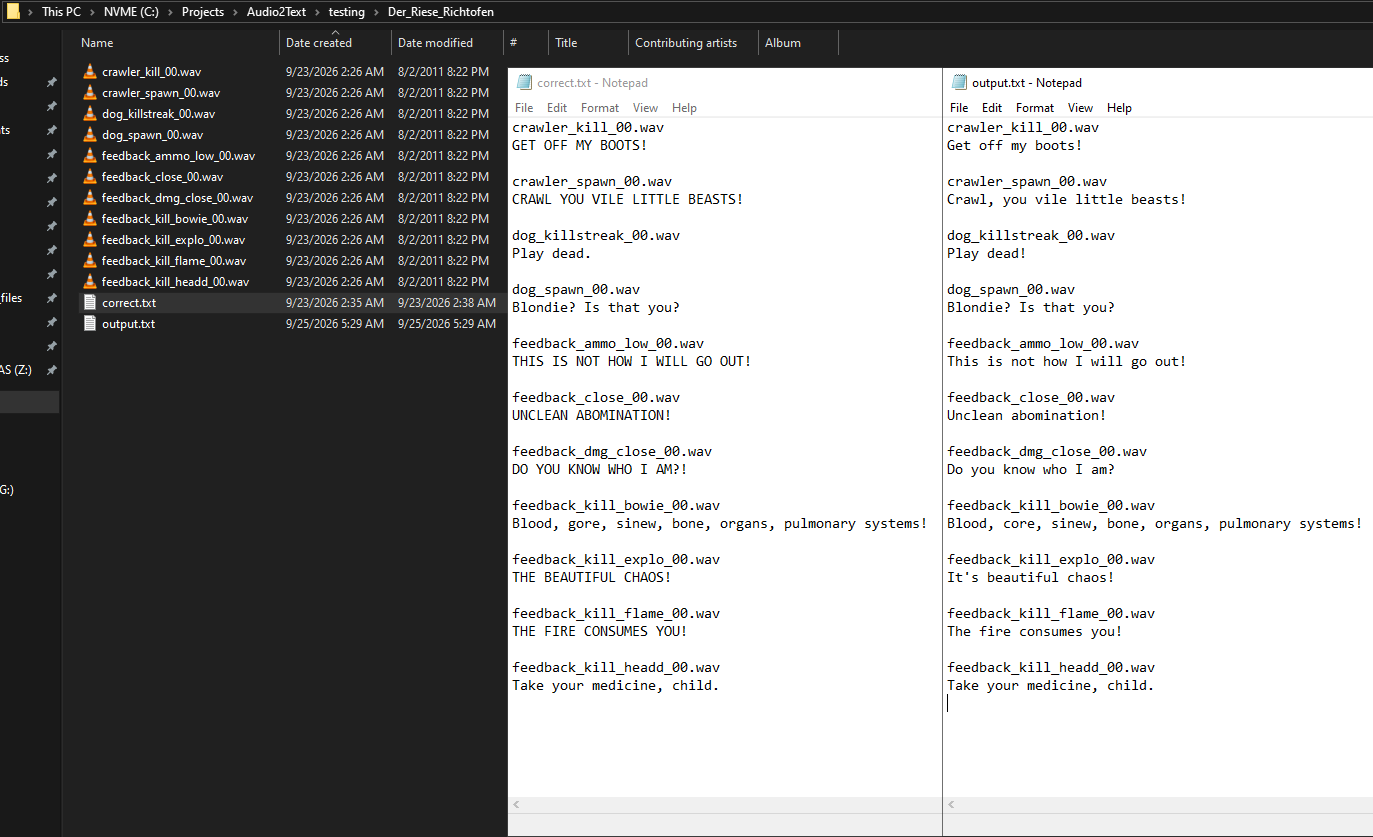
A quick and effective tool for Windows that transcribes audio files (.flac, .wav, .mp3) directly into .txt documents.
Release Date: September 23, 2026
Last Updated: October 14, 2026
Latest Version: V1.0.0
System Requirements
OS: Windows 10 or 11.
Hardware Support: Works on standard CPUs, but a GPU is highly recommended for faster transcription.
GPU Support: Currently only supports NVIDIA GPUs. If you would like AMD or Intel GPU support added, send a request to patrickjp292004@gmail.com.
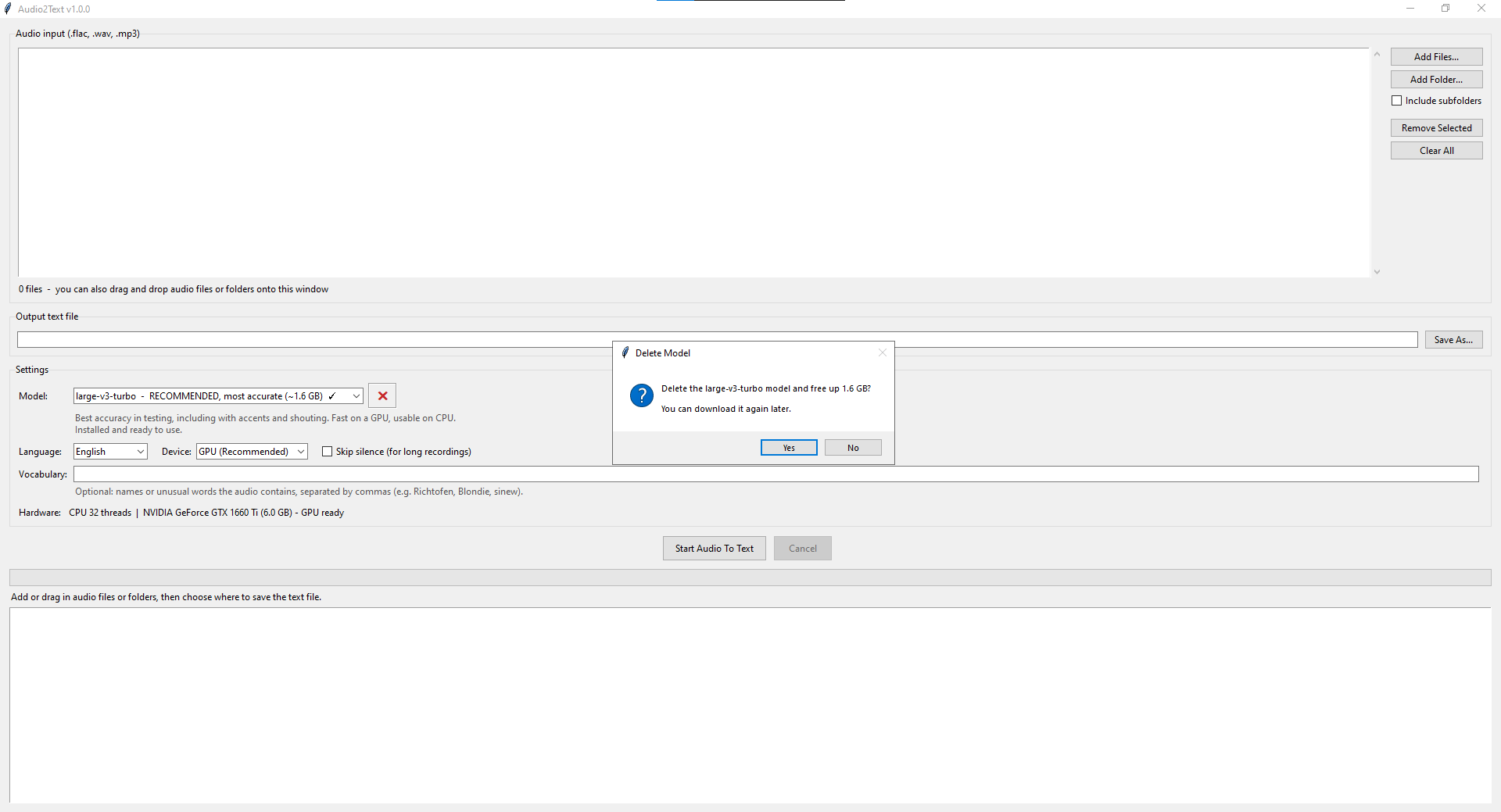
Application Images
Directory Snapshotter
Creator: Patrick Price
A lightweight Windows tool that takes a snapshot of any folders you select, recording every file and folder inside them without copying any of the actual data. Open a snapshot in the app to browse exactly what you had and where it was, which is handy for remembering old files or guiding a recovery after data loss. Snapshots are only a few kilobytes, so you can keep as many as you like.
Release Date: September 28, 2026
Last Updated: October 14, 2026
Latest Version: V1.0.0
System Requirements
OS: Windows 10 or 11.
Application Images
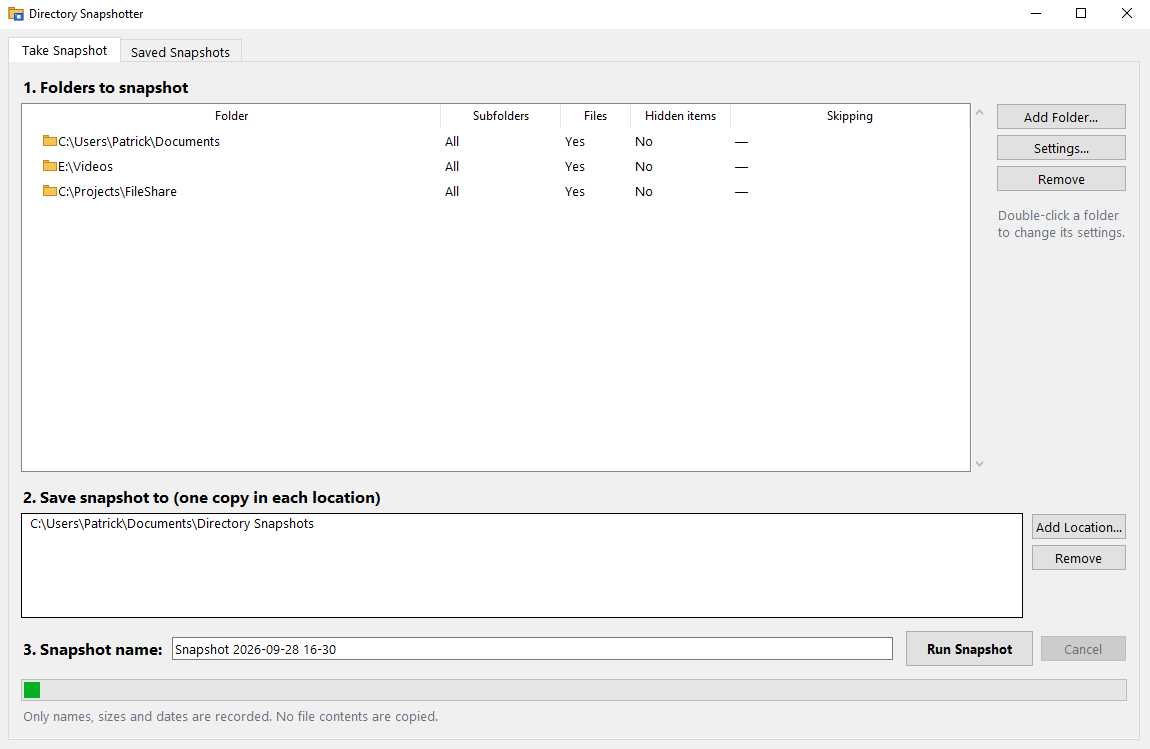
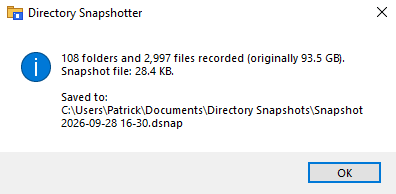
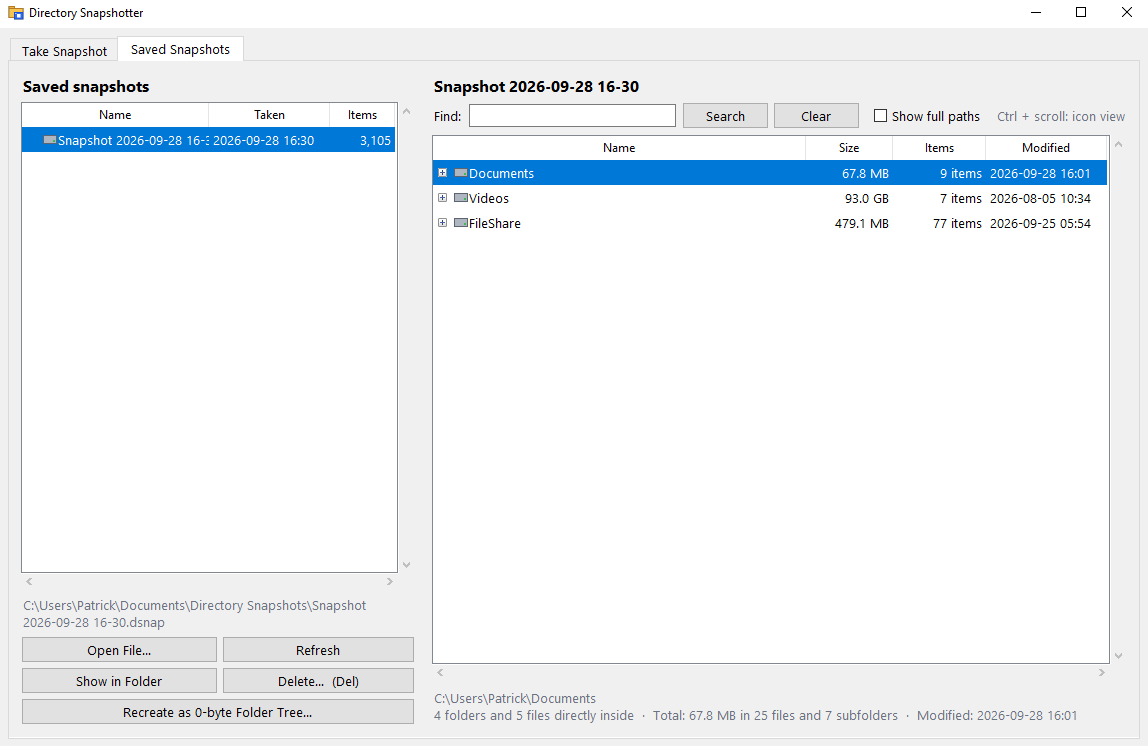
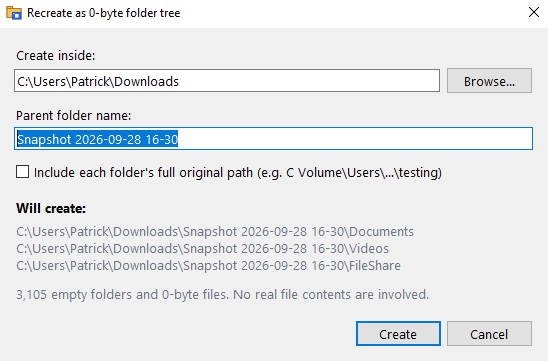
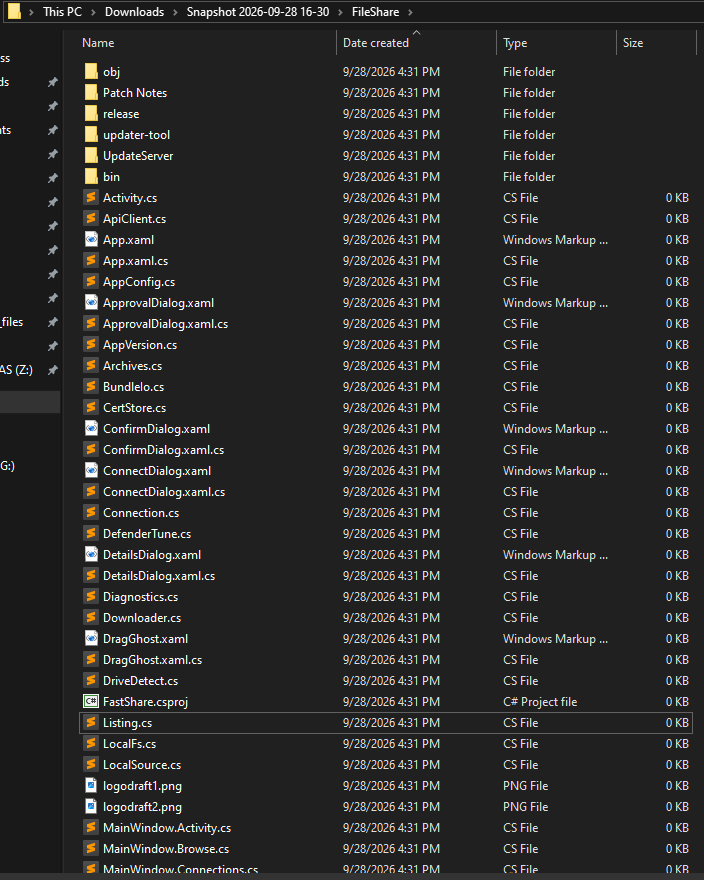
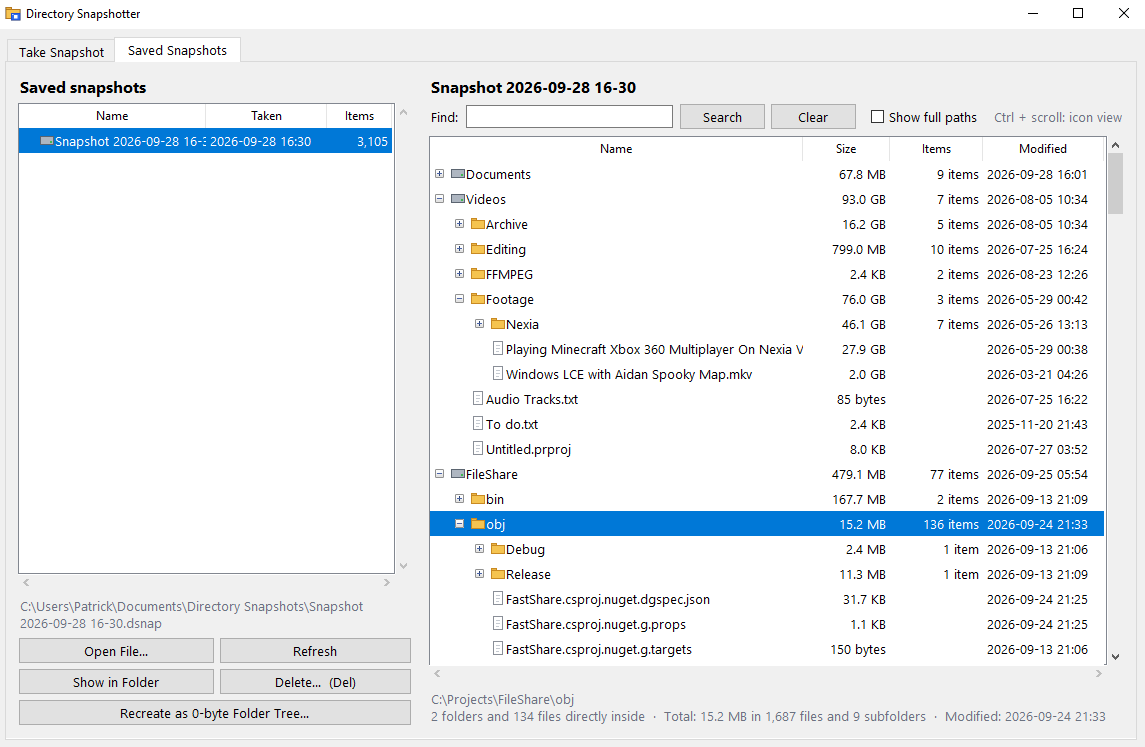
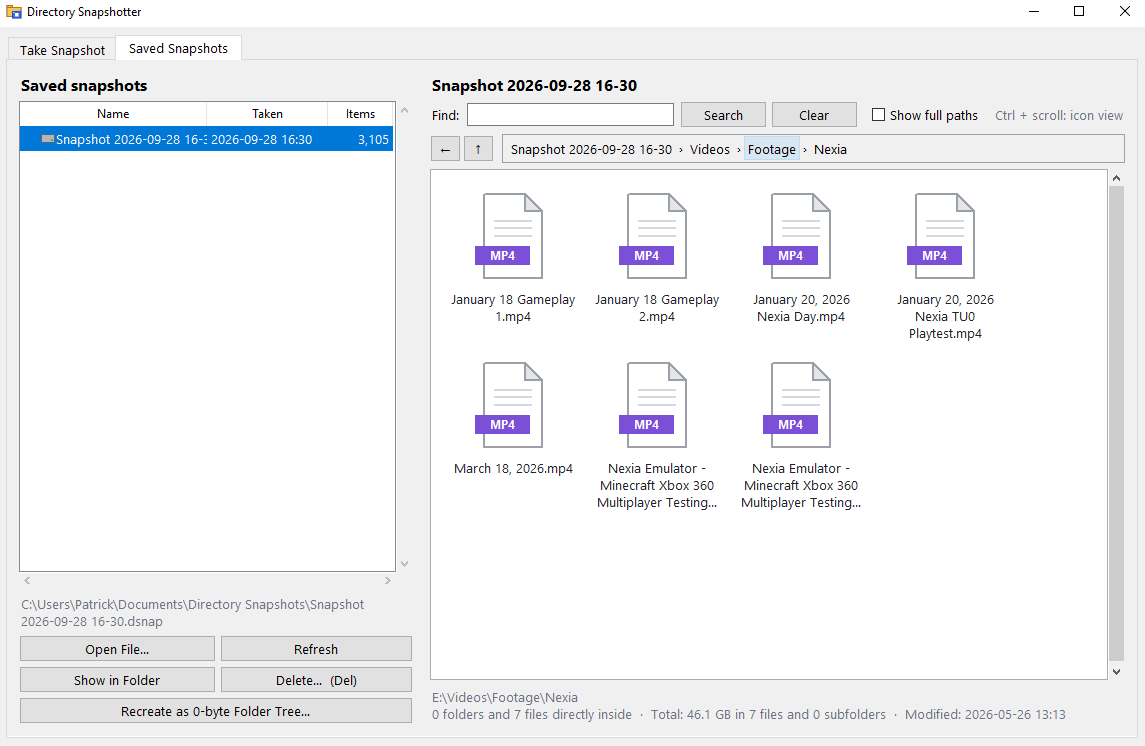
Night-Night
Creator: Patrick Price
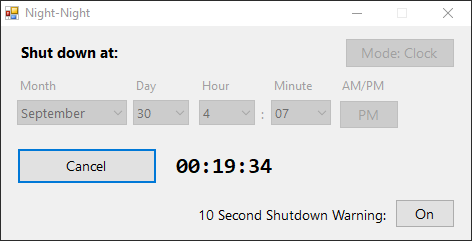
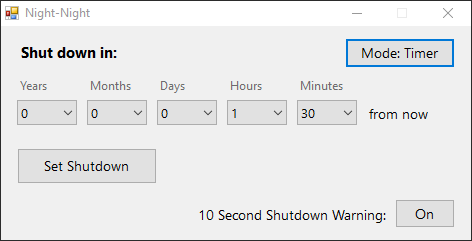
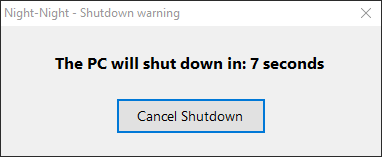
A lightweight Windows app that automatically shuts down your PC at a specific time. Pick an exact date and time, or switch to timer mode and shut down after a set amount of time. A 10 second warning gives you a chance to cancel before it happens, and closing the app cancels the shutdown.
Release Date: September 30, 2026
Last Updated: October 14, 2026
Latest Version: V1.0.0
System Requirements
OS: Windows 10 or 11.
Application Images
Purchase Tracker
Creator: Patrick Price
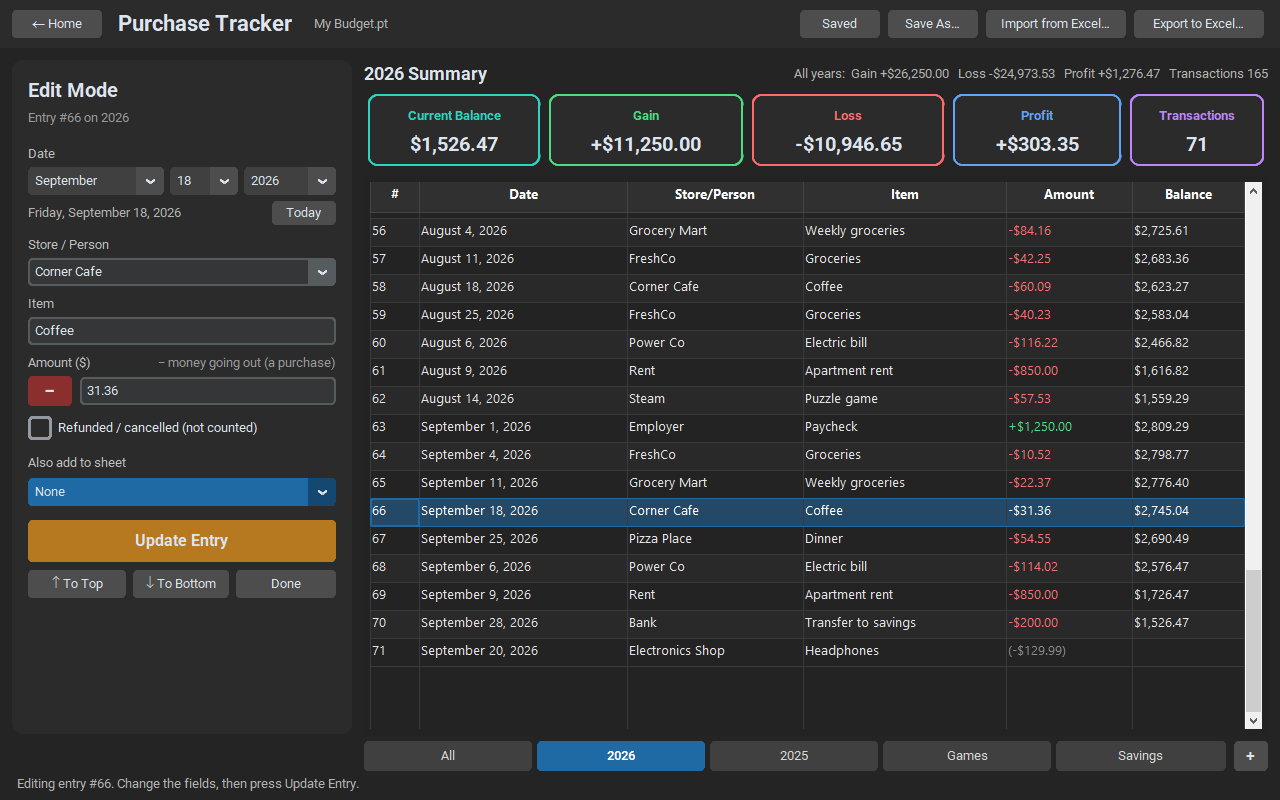
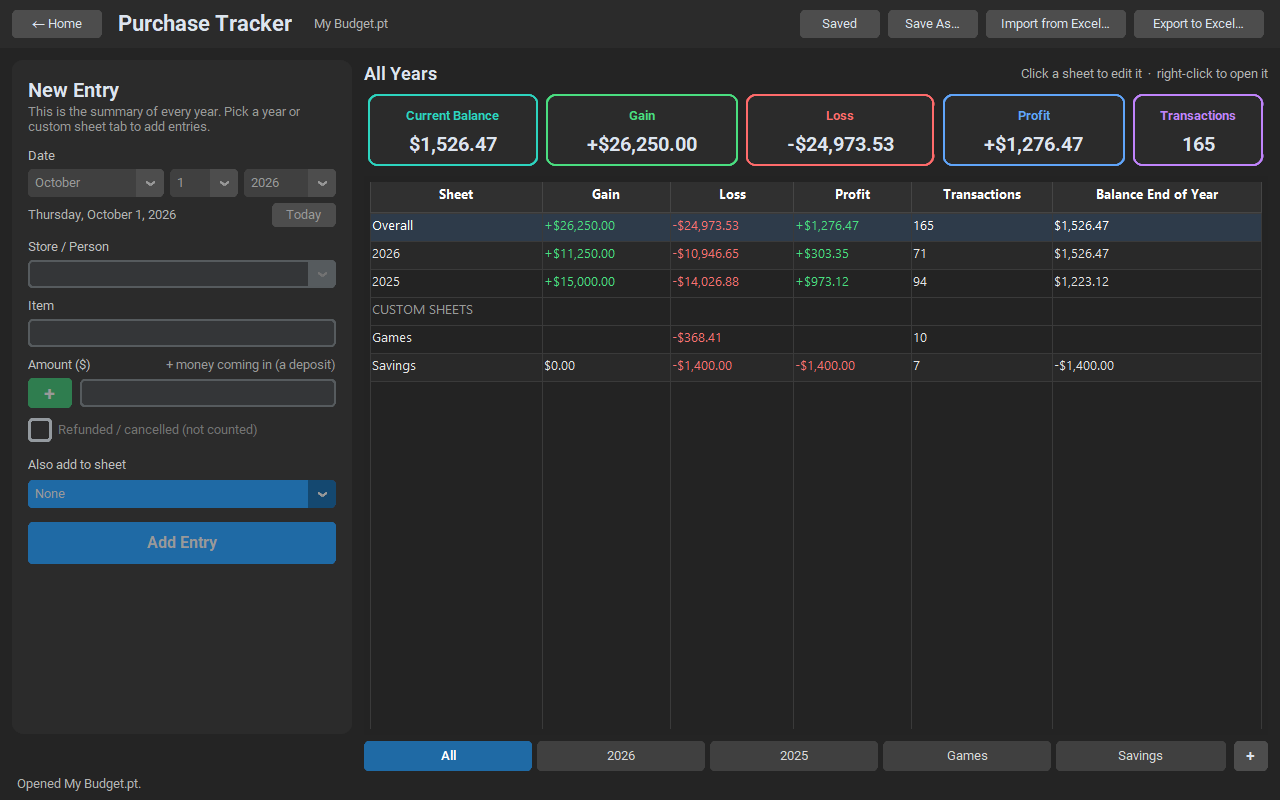
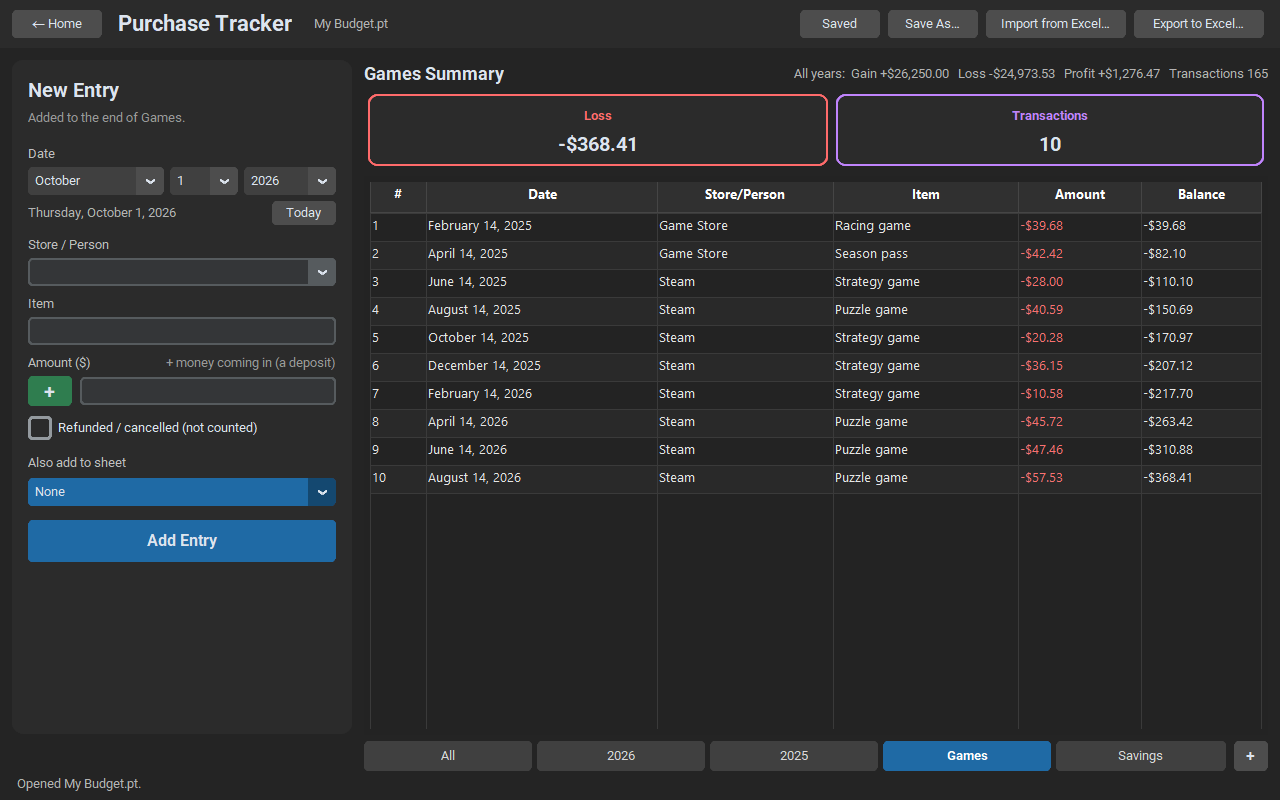
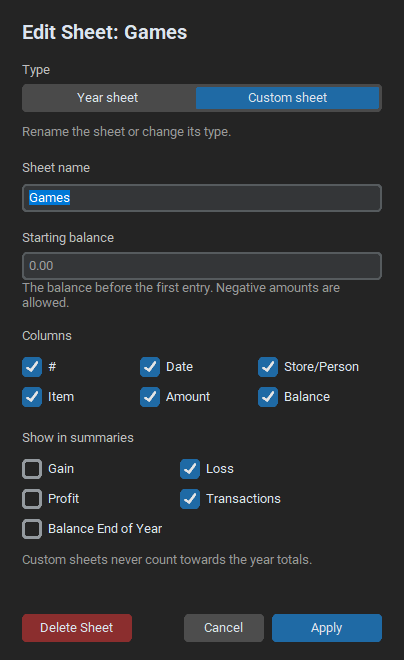
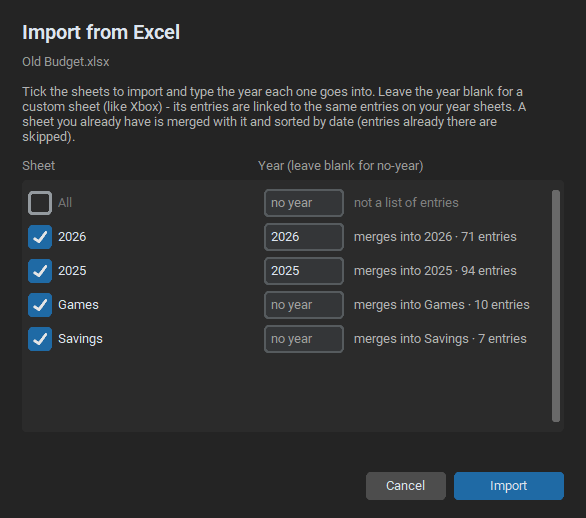
A Windows app for keeping track of your purchases and deposits, with a sheet for each year, running balances, and gain, loss and profit totals. Group entries into custom sheets like Games or Savings that stay linked to your year sheets, import your old Excel spreadsheets, and export everything back to Excel.
Release Date: September 30, 2026
Last Updated: October 14, 2026
Latest Version: V1.0.0
System Requirements
OS: Windows 10 or 11.
Application Images

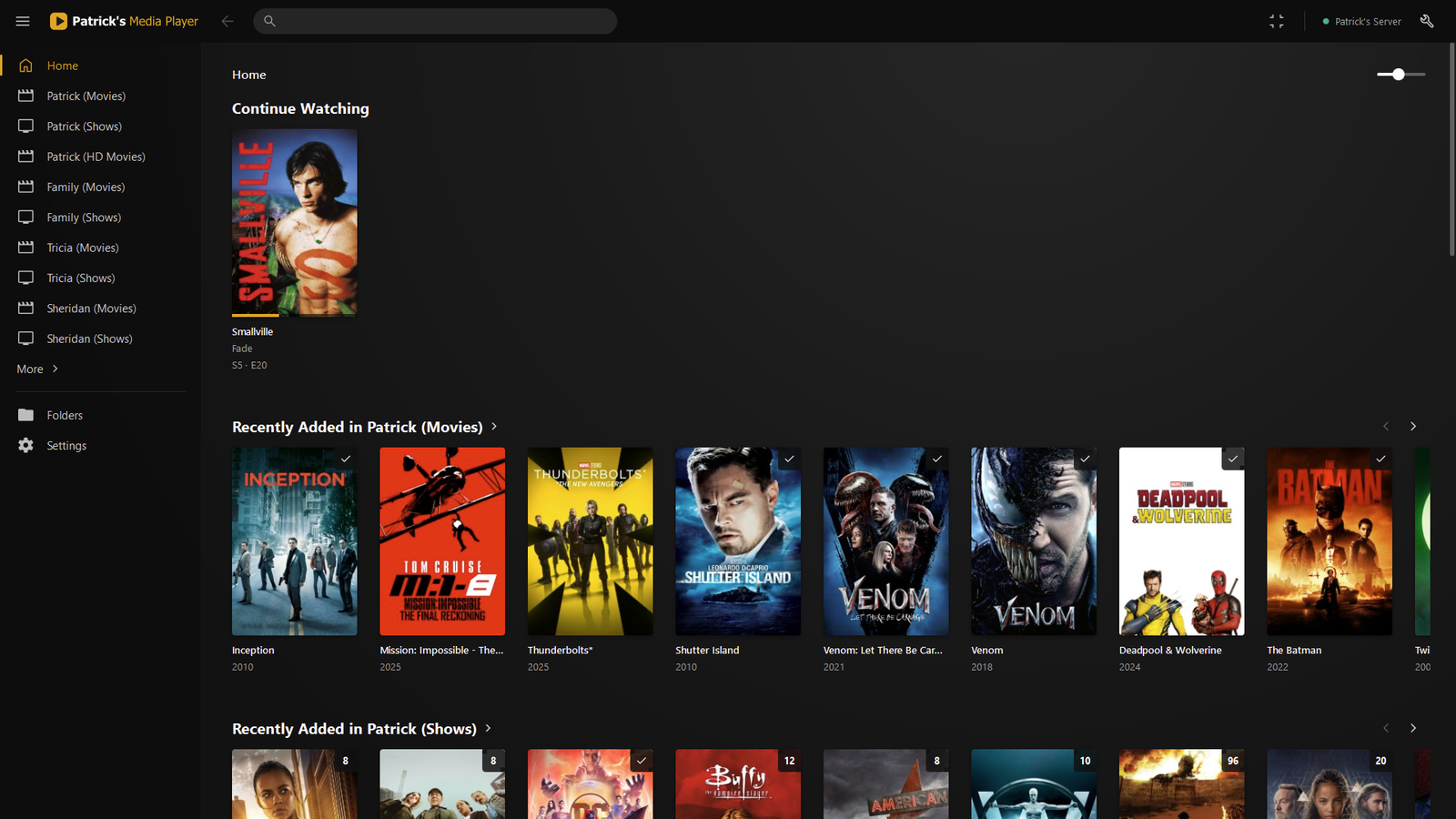
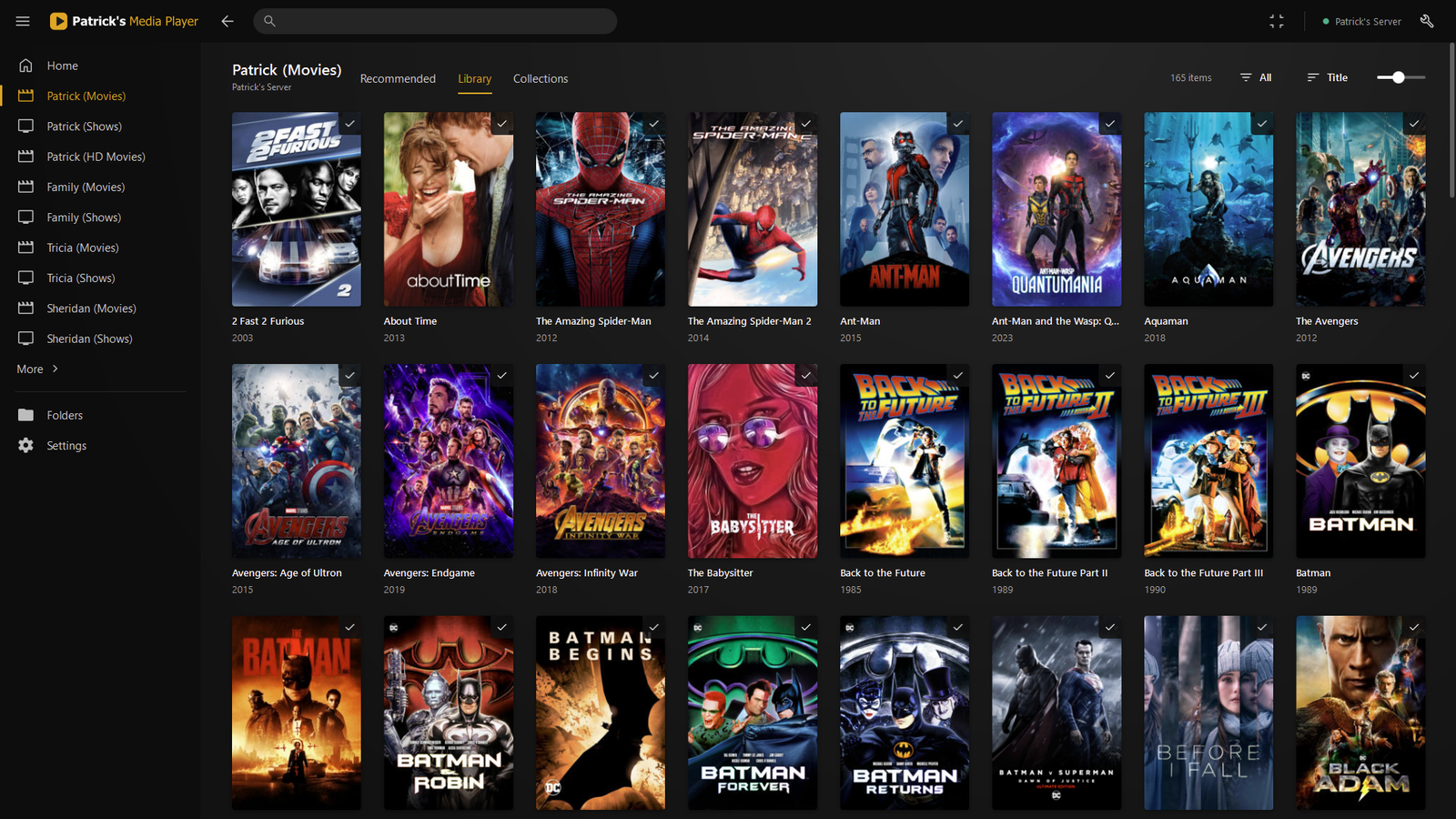
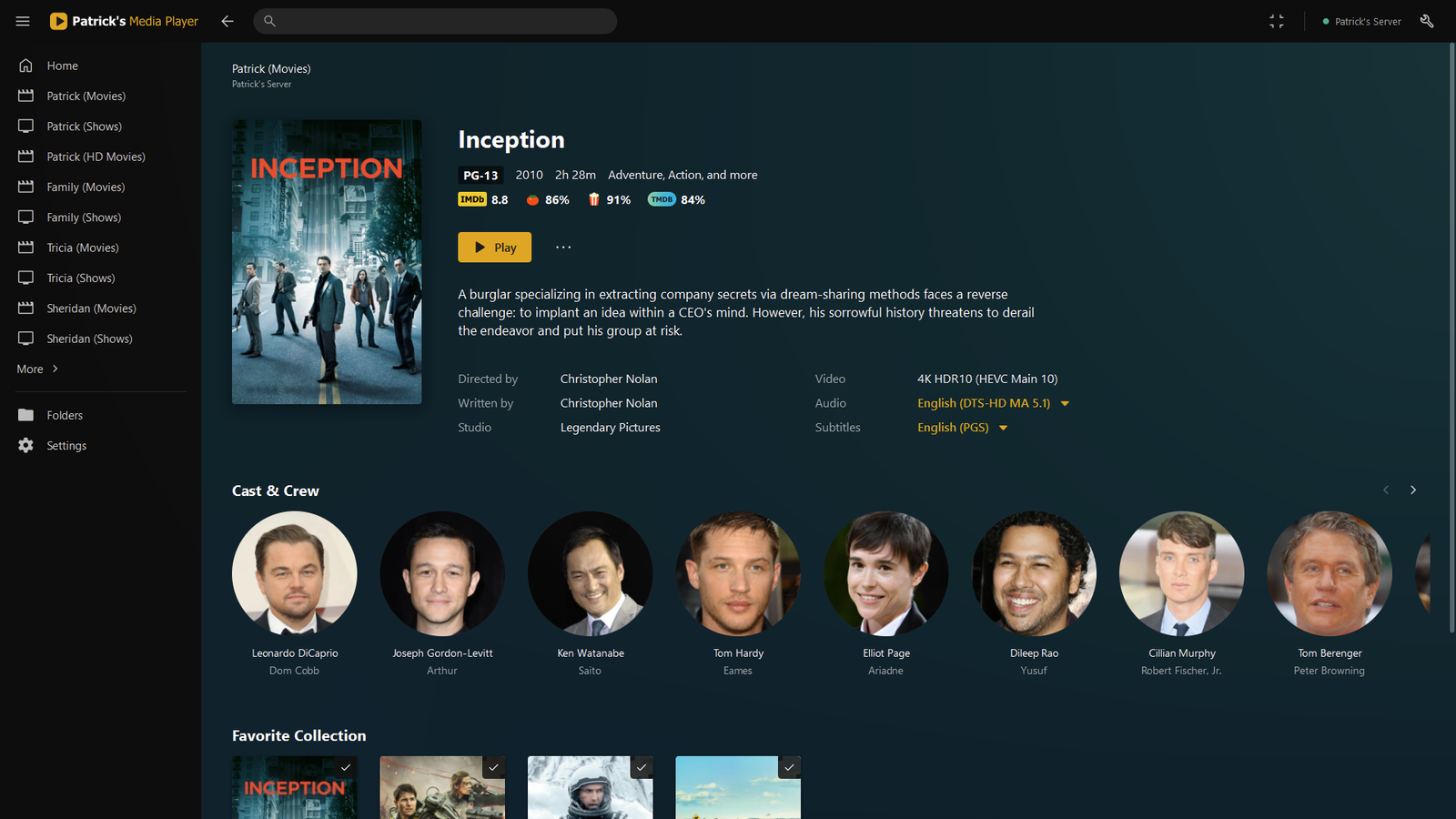
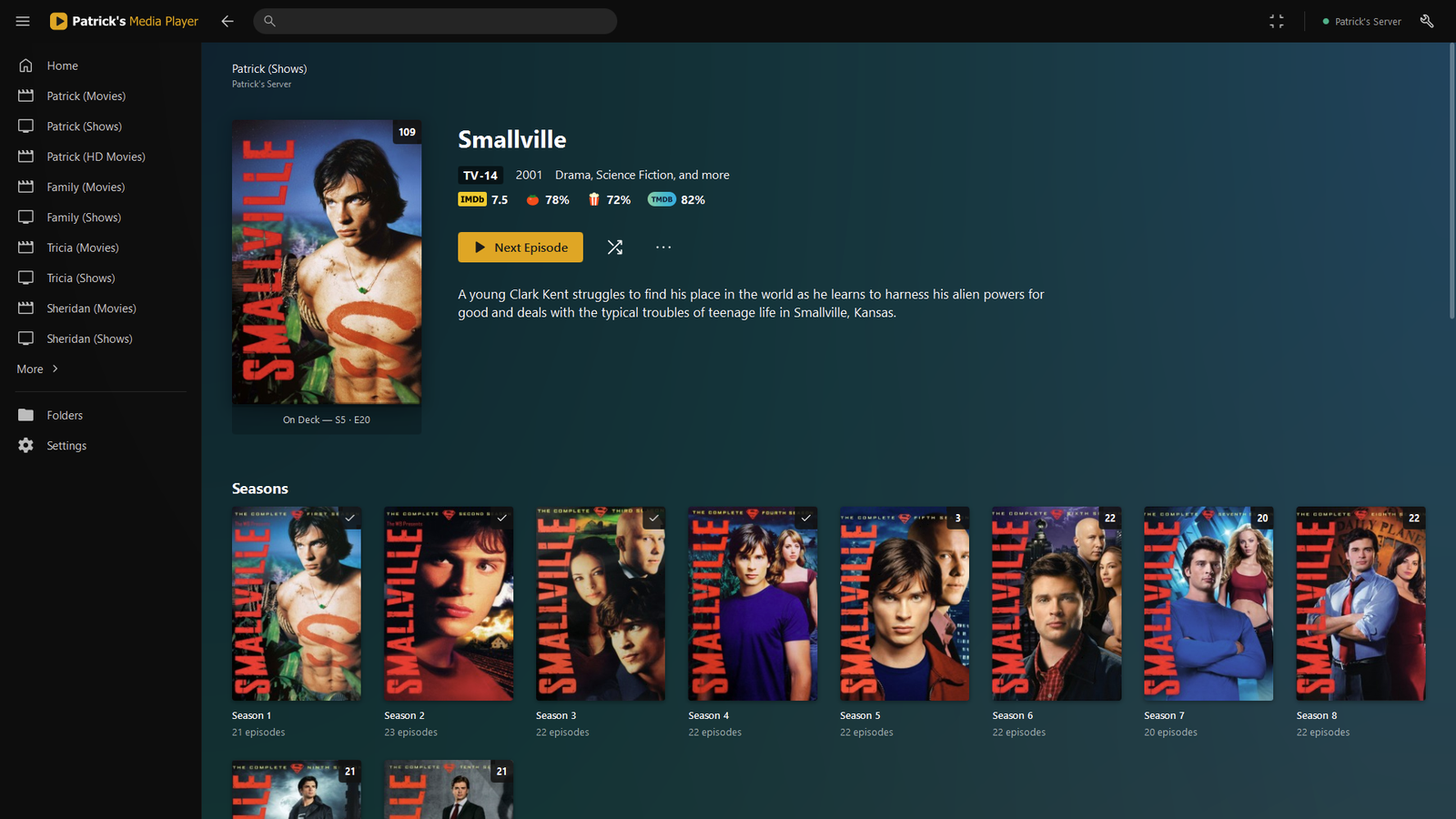
Patrick's Media Player
Creator: Patrick Price
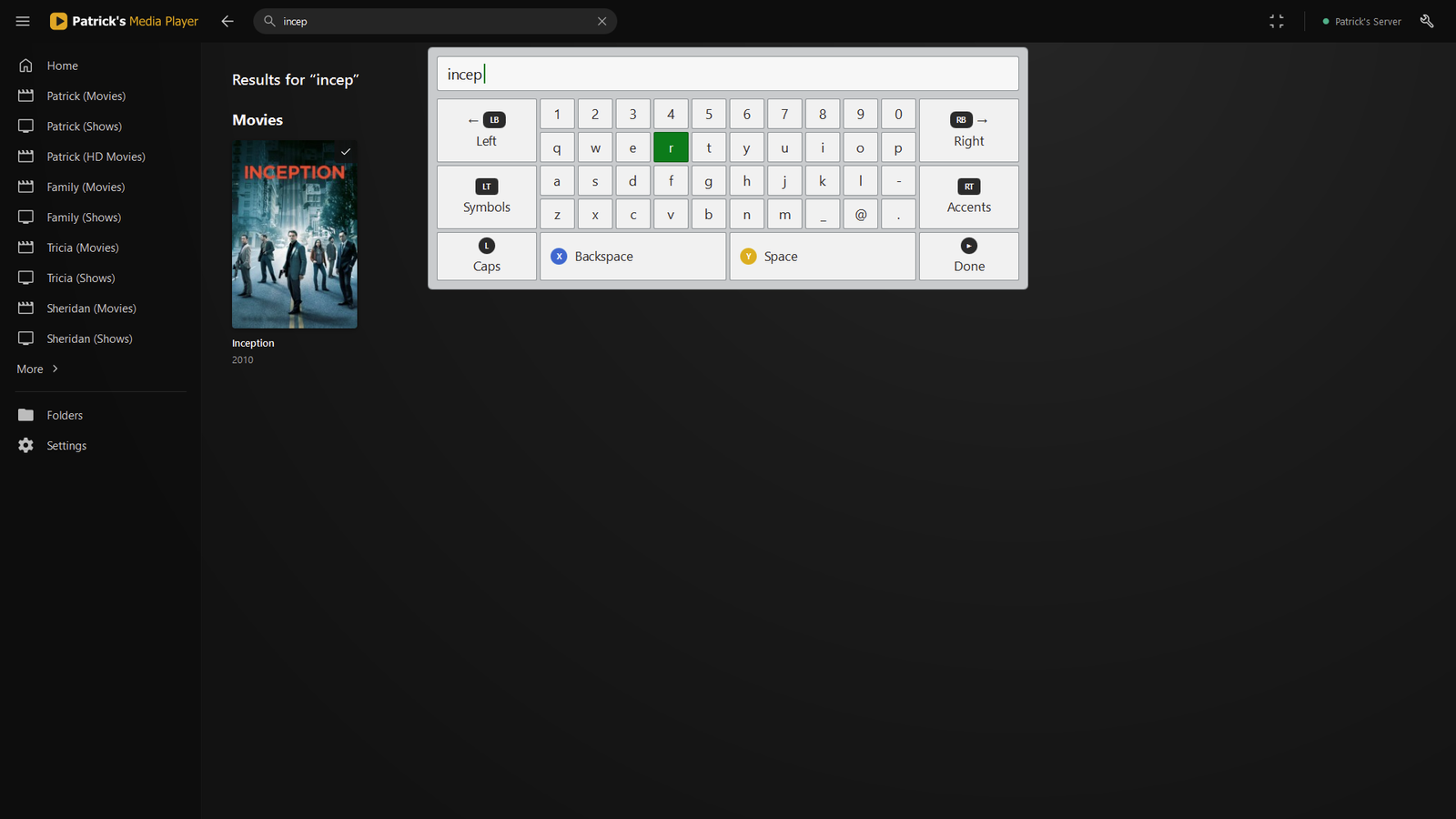
A fast, lightweight Windows media player that turns your Plex Media Server library into a clean, couch-friendly interface. Currently local only, unless I am asked to make it also remote accessible. Enter the local ip with the plex port in the settings to use your plex server in the app. You can also open video files directly. The main reason I made this app was because the windows plex clients have no support for controllers, and so I used mpc-hc video player with a plex user interface and combined it with controller support, and then I accidently created probably the best lightweight video player app ever, yay :D
Creation Date: October 2, 2026
Last Updated:
Latest Version: V1.1.28
System Requirements
OS: Windows 10 or 11 (64-bit).
Server: A Plex Media Server on your network. The server address is entered in the app's Settings on first start.
Application Images

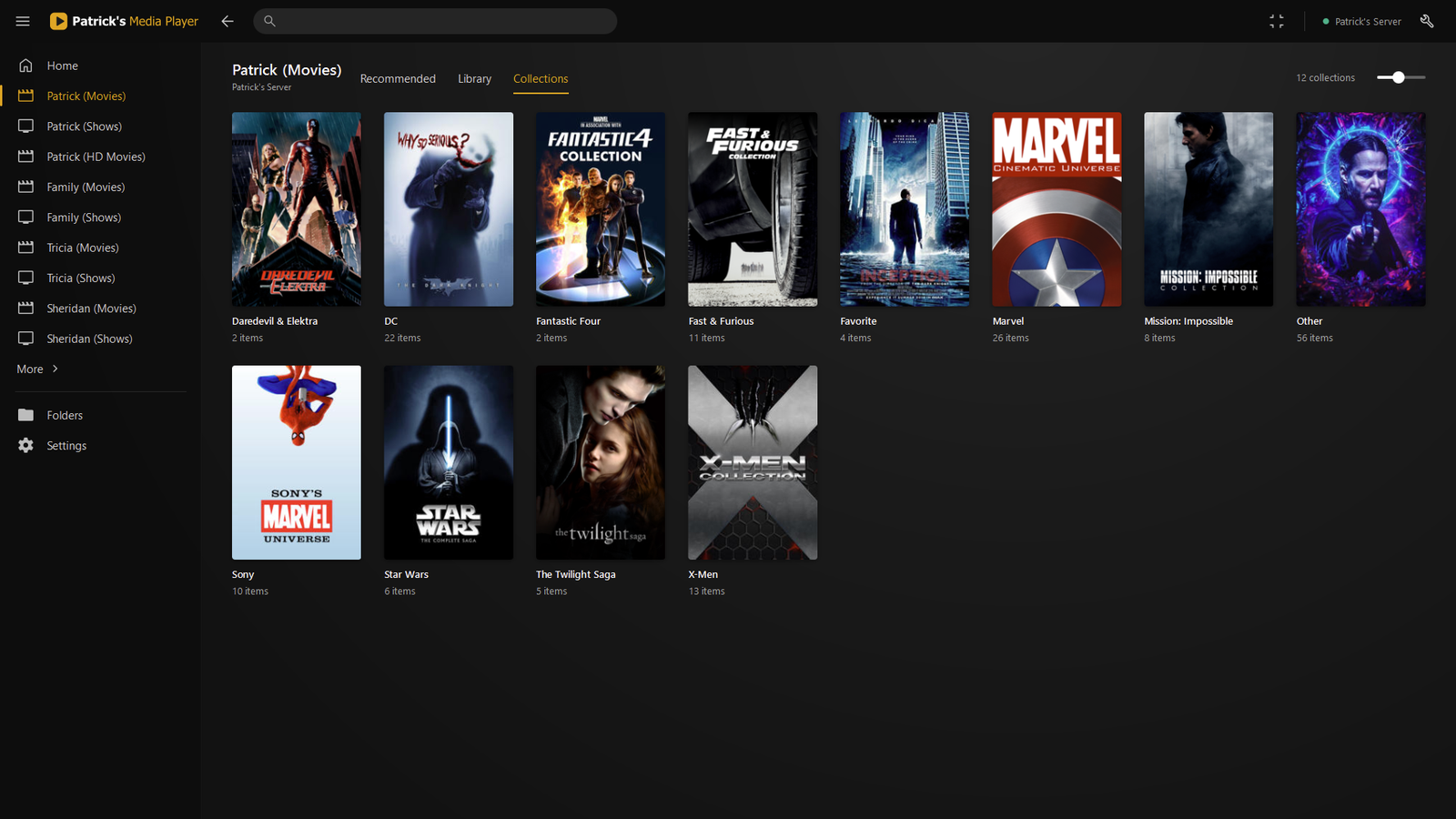
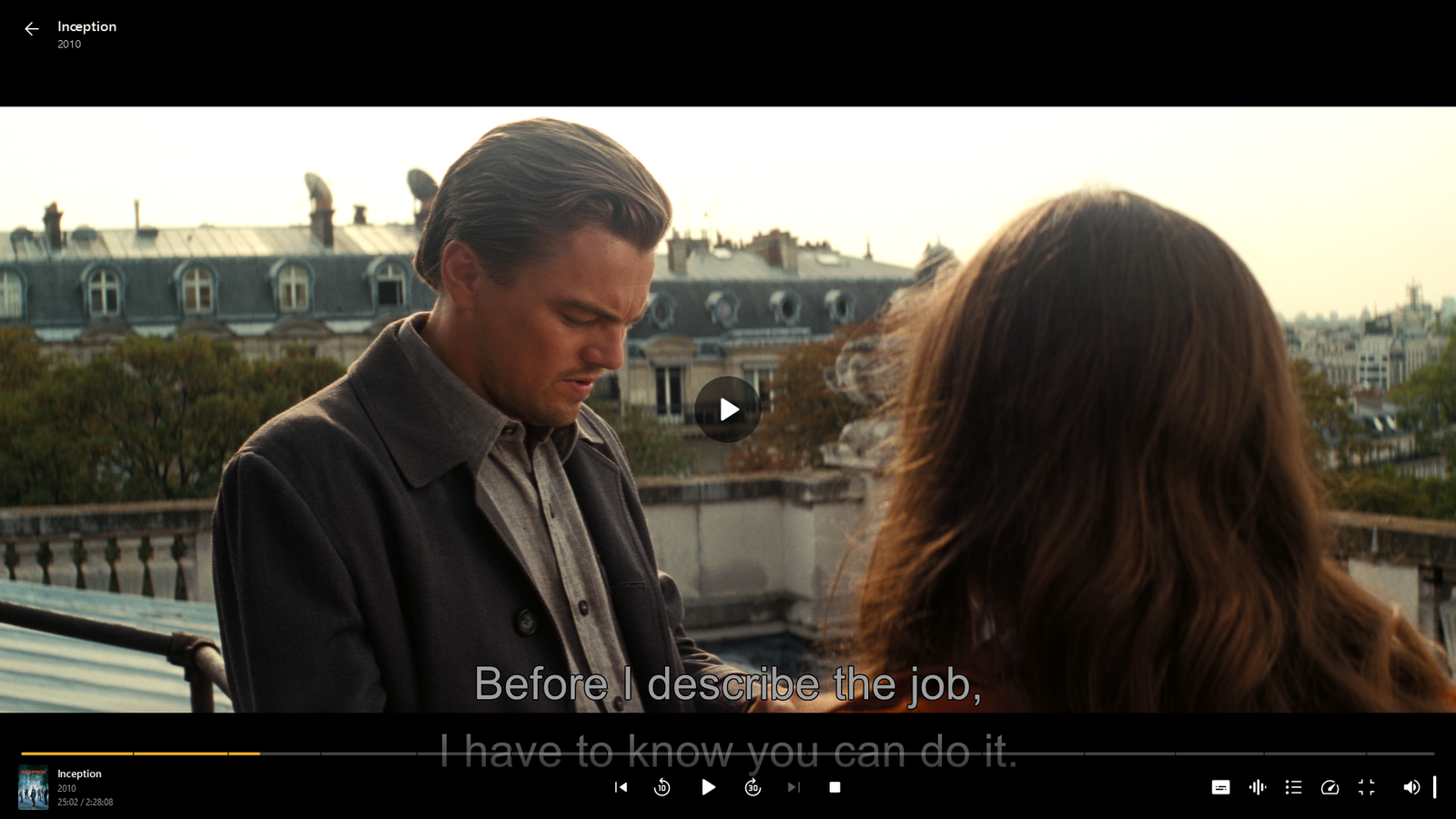
Patch Notes
V1.1.28 November 2, 2026
- Media Countdowns: a show's "..." menu has "Connect to Media Countdowns". Its next episode then waits on Home after Continue Watching, locked with a countdown until it is out (Settings > Interface > Upcoming episodes on Home).
V1.1.27 October 26, 2026
- Leaving full screen or un-maximising no longer makes the window huge (a size kept from the TV now fits your screen).
V1.1.26 October 26, 2026
- The mouse pointer no longer disappears for a moment when the player opens.
V1.1.25 October 26, 2026
- Discord status: your Discord profile shows what you're watching (title, episode, poster, time left, paused). Settings > Interface > Discord status: on / only while watching / off.
- Turning the TV off with the remote's power button now remembers exactly where you were: turning it back on reopens the same page and the same video at the same second, paused.
V1.1.23 October 23, 2026
- In HDR, subtitles are drawn darker too, following the same setting (Settings > Playback > Controls, pages and subtitles in HDR)
V1.1.22 October 23, 2026
- While a video is loading, the remote / controller can already move between the player buttons
- Native audio (Dolby passthrough) is now off by default: the player decodes the sound itself
- In HDR the player's controls and pages are drawn dimmer so they don't glare next to the video (Settings > Playback > Controls and pages in HDR, 60% by default)
V1.1.21 October 23, 2026
- Opened on the TV by the remote's power button: the remote's position is already on the first Continue Watching poster
V1.1.20 October 23, 2026
- Chapters during playback: with the remote or a controller, press Down from the player buttons to pick a chapter from cards along the bottom (only for videos that have chapters)
- Remote: Up from the player buttons now selects the progress bar; Left / Right there skip, and holding them goes faster
V1.1.19 October 23, 2026
- Movie pages with a controller or remote: up from Video / Audio / Subtitles goes back to Play, up from Cast & Crew goes to Subtitles
- Dolby sound to the TV no longer cuts out for a second after you pause or skip
V1.1.18 October 21, 2026
- TV remotes: the arrow keys now move the highlight between posters and rows instead of scrolling; OK selects, Back goes back, Home opens Home, Menu opens a poster's options.
- TV remotes: Home stops the video and goes to the Home page; during a video, Menu opens Subtitles / Audio choices you can pick with the arrows (Y on a controller).
- On a 4K TV with high Windows scaling the pages now lay out like on a 1080p screen (sharp, nothing cut off). Right-click the poster size slider to reset the size.
- Settings > Playback > Sound output: send the player's sound to one device (e.g. the TV) whatever Windows' default is.
- Full screen: the screen switches to the video's frame rate (smooth 24p films) and HDR screens switch to HDR for HDR videos, then back (Settings > Playback).
- Native audio: Dolby Digital, Dolby Digital Plus and TrueHD soundtracks go to the TV untouched when it can play them (Settings > Playback > Native audio).
- TV remote: during a video Up / Down show or hide the controls (the volume stays the TV's), Left / Right skip, and holding them fast-forwards / rewinds faster and faster (1, 2, 3 minutes per second).
- TV remote: Back, OK and the arrows now work on every screen - Skip Intro, Up Next (Play now / Cancel), the end screen, menus, dialogs and the search keyboard; Back always leaves the video.
- TV remote power button: TV off = the TV turns on and the player opens full screen on it; TV on = the player closes and the TV turns off.
- Skipping forward / back in a video is now instant.
- Play works right away on a page that is still loading its details (it used to show a stuck loading screen).
- Continue Watching shows a film once even when it is in two libraries (e.g. 4K and HD), and plays the version you were watching; the third line under episodes is no longer cut off.
- Films with more than one version: a Video dropdown on the page lets you pick the version (e.g. 4K HDR or HD), and Play / Resume use it.
- Controller / remote on a film's page: after choosing in a menu the position stays on that button; down from Resume, restart or "..." goes to the Video / Audio / Subtitles choices.
Media Countdowns
Creator: Patrick Price
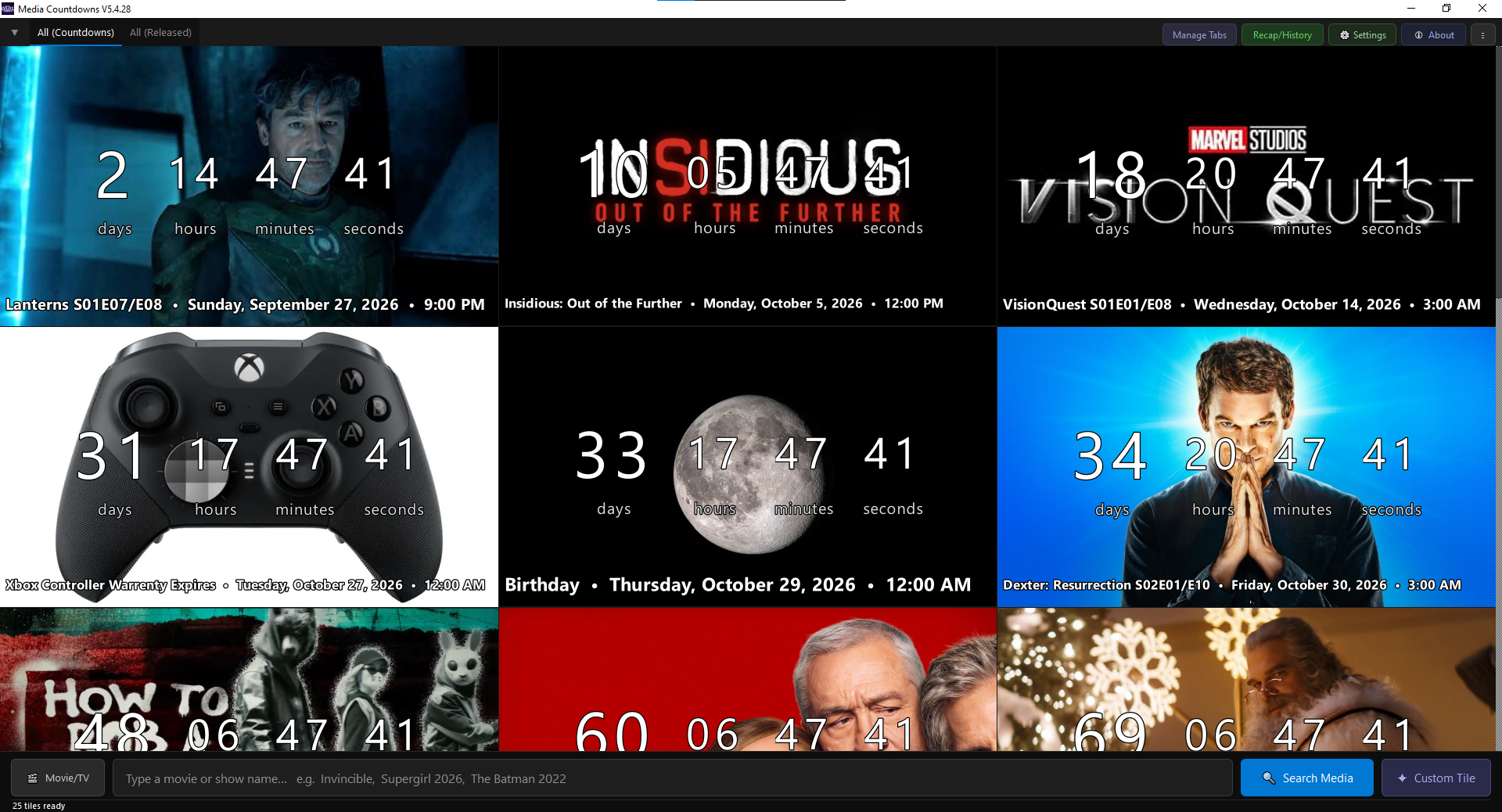
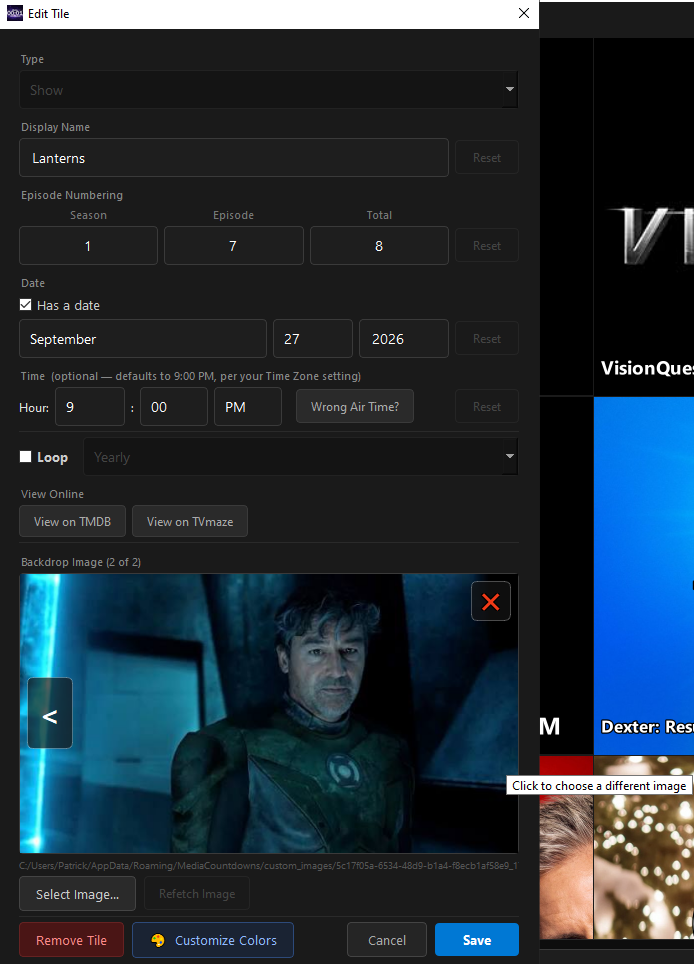
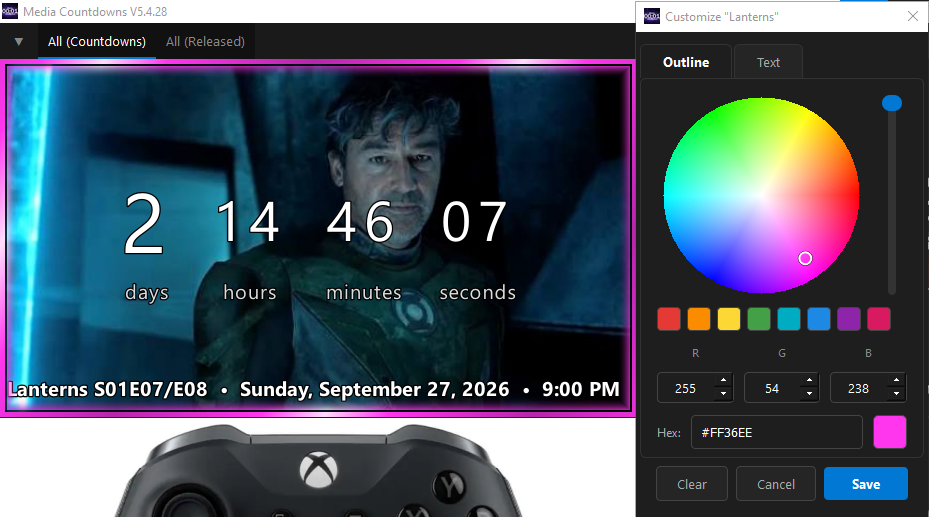
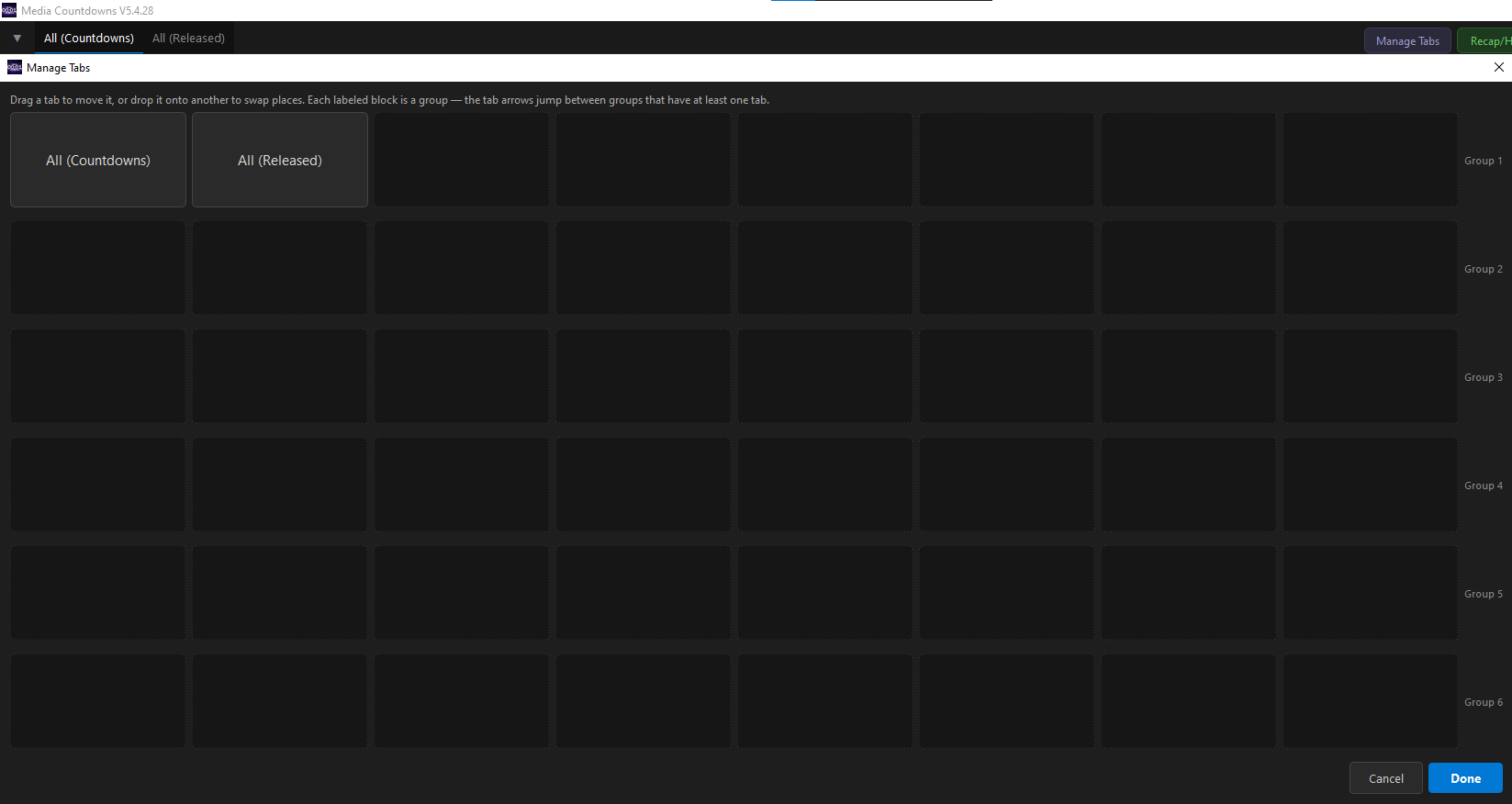
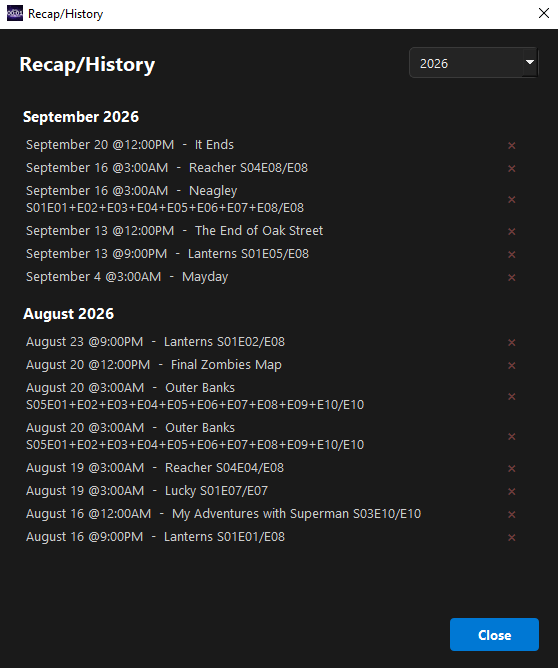
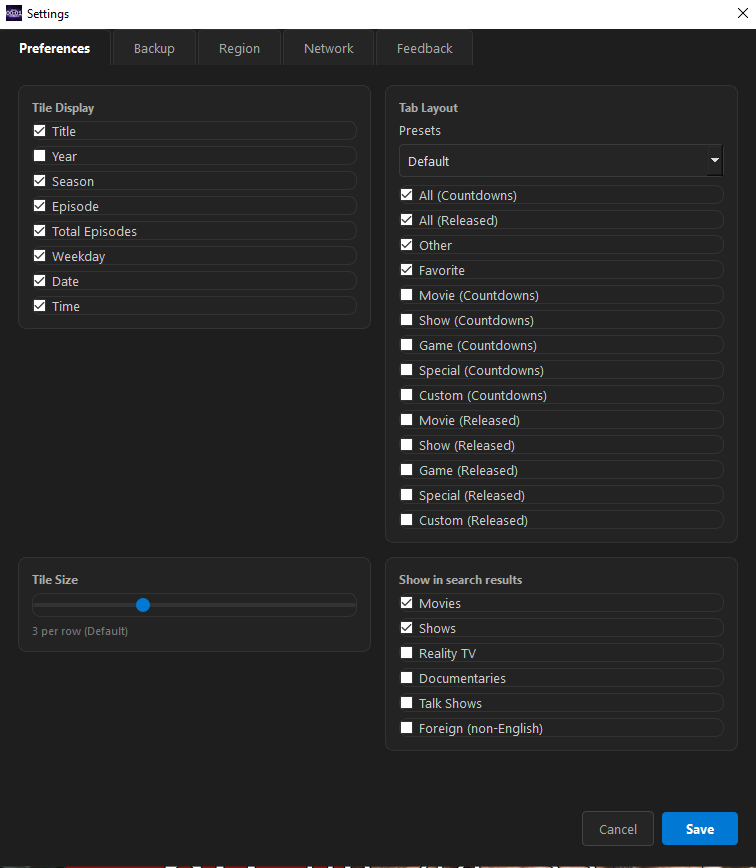
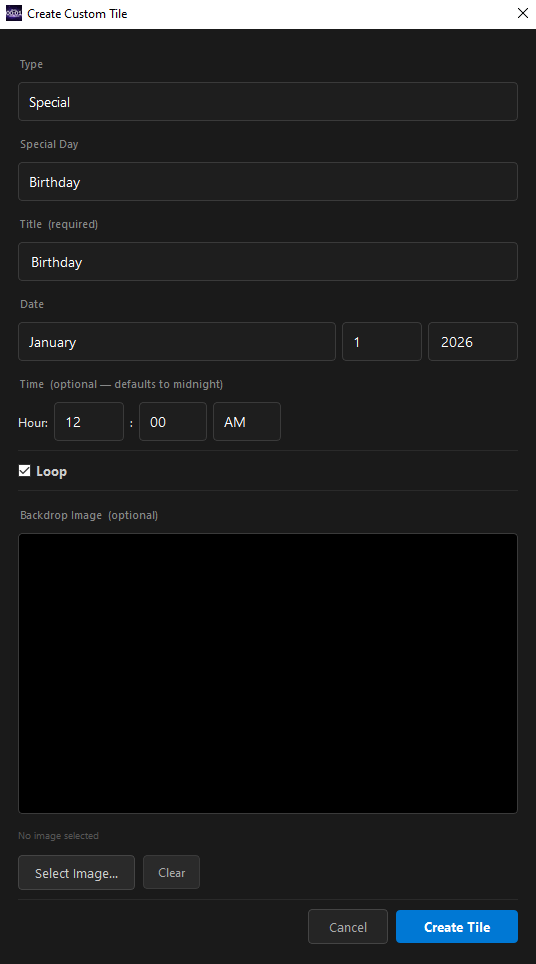
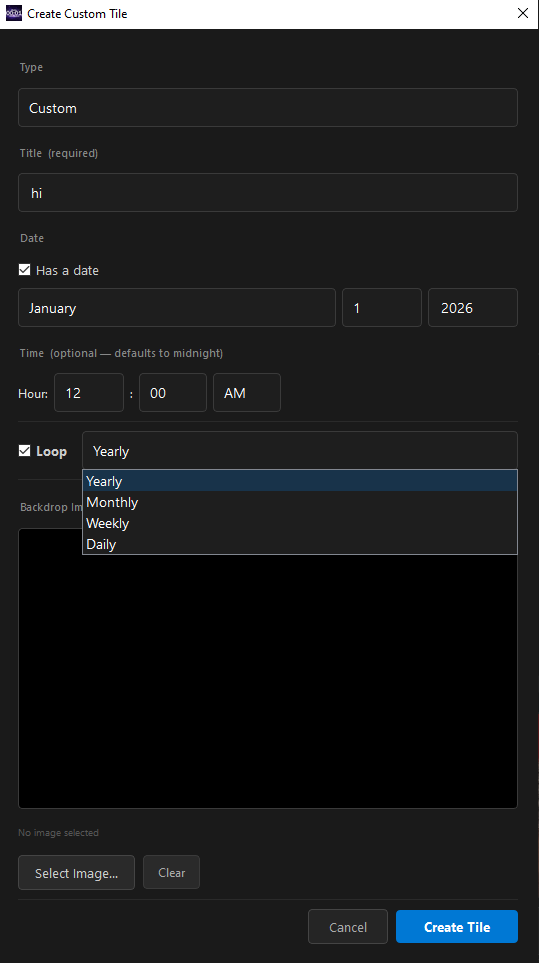
A Windows application that lets you search for movies, shows, and video games to create release date countdowns. You can also countdown to holidays, birthdays, or any custom day, with options to loop daily, weekly, monthly, or yearly. It features deep customizability, allowing you to add colors to tiles, toggle specific tabs, and more—perfect for keeping track of new releases and multiple shows at once.
Release Date: May 11, 2026
Last Updated:
Latest Version: V5.4.32
System Requirements
OS: Windows 10 or 11.
API Keys (Optional): By default, this app does not contain API keys. To fetch media directly from sources, you will need to obtain your own keys. You can request keys from TMDB for movies and shows, and IGDB for games.
Application Images


Patch Notes
V5.4.32 November 3, 2026
- Shows with an air time you set yourself no longer skip ahead on air day: the episode stays in the countdown until your time, instead of jumping to next week's that morning.
V5.4.31 November 3, 2026
- Weekly and monthly countdowns no longer skip ahead on their own day: saving one on its day now counts down to that day's time instead of jumping to next week.
V5.4.30 November 2, 2026
- The update check now runs every time the app opens, even with the relay turned off (it used to skip it, so no update was ever offered).
V5.4.29 November 2, 2026
- Fixed: a show with a hand-set date could "release" every remaining episode of its season on that same old day (the While You Were Away pop-up listed Dexter: Resurrection S02E10 a week after the premiere). A hand-set date now ends when its episode has aired.
Games
Password is required for testing builds
Event Countdowns
Creator: Patrick Price
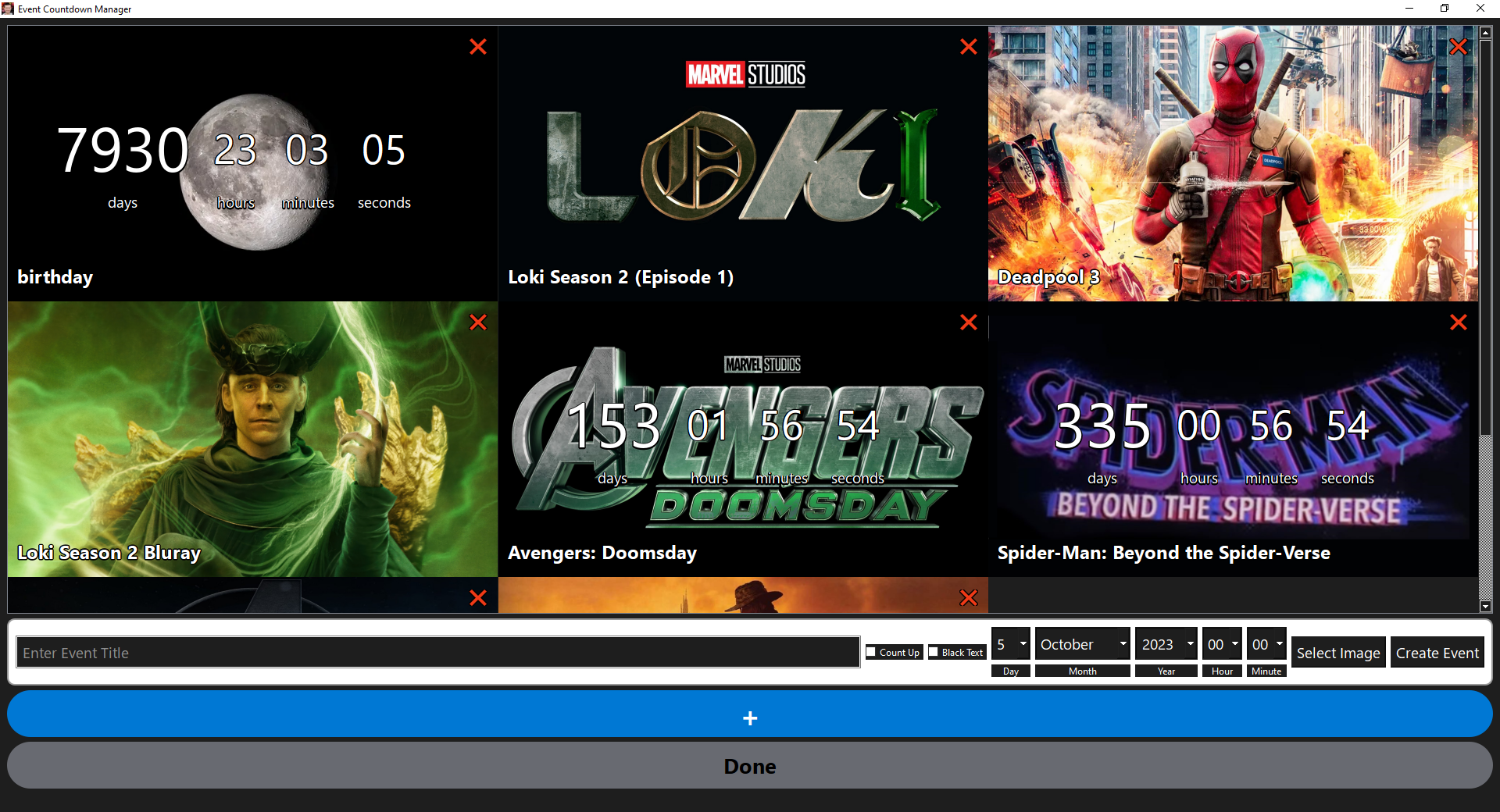
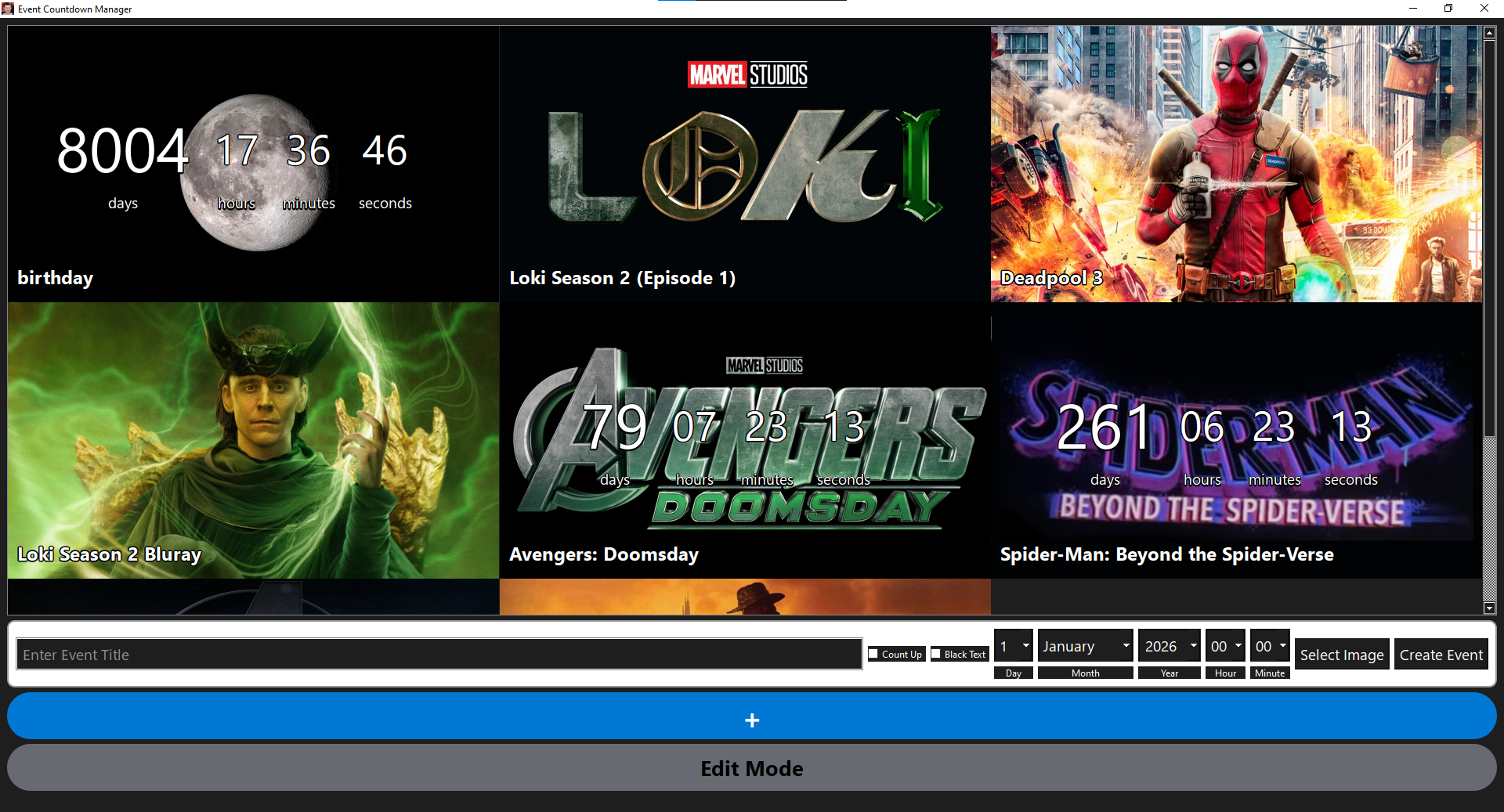
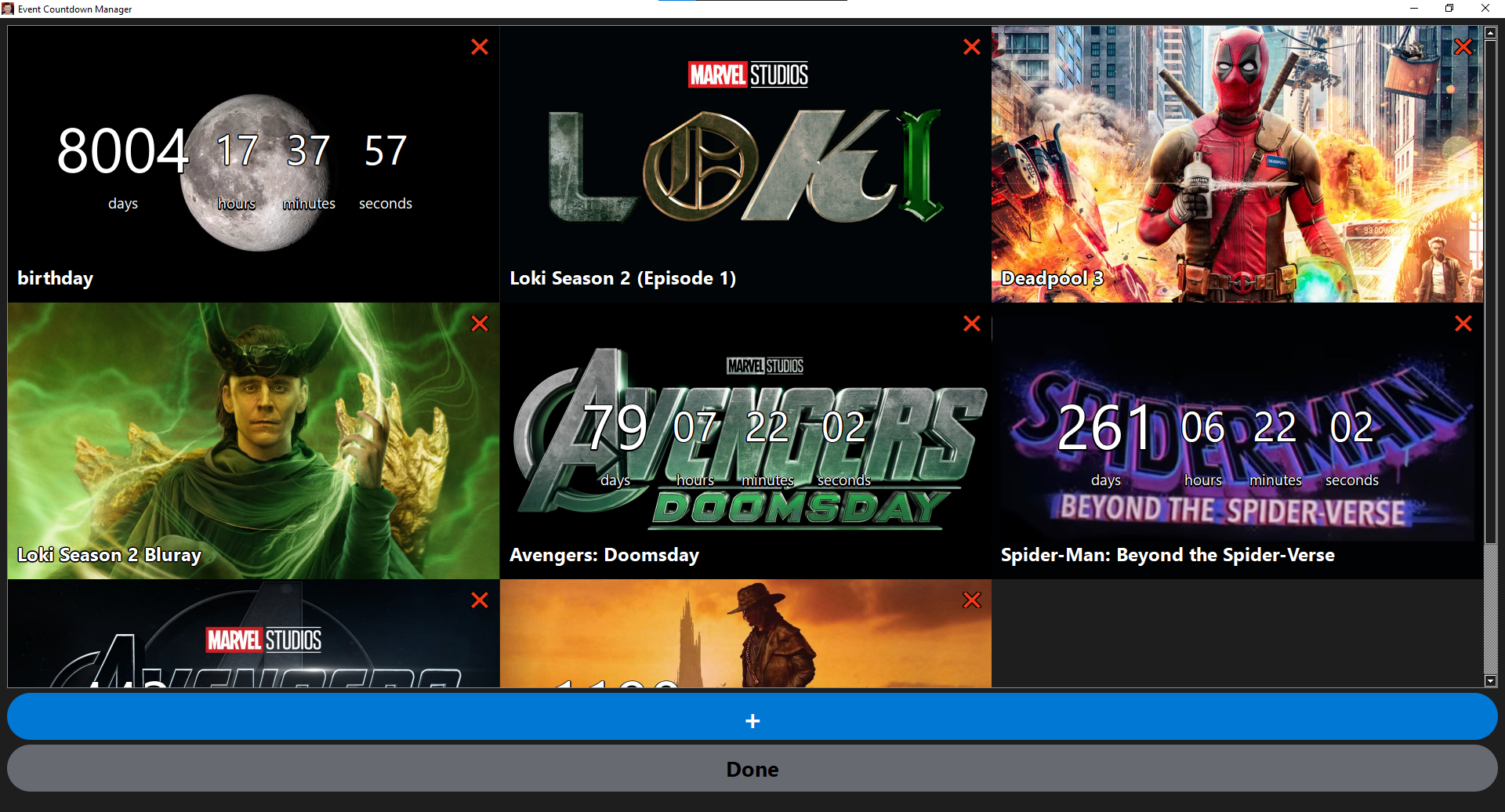
The original countdown app that started it all, and the predecessor to Media Countdowns. Event Countdowns is fully offline with no movie, show, or game search: every countdown is exactly what you make it, whether that's a birthday, a trip, a holiday, or anything else you're looking forward to. It's kept here as a look back at where Media Countdowns began.
Release Date: June 4, 2025
Last Updated: January 19, 2026
Latest Version: V2
Project Status
Event Countdowns is no longer in active development. Notifications can sometimes fire at random times, and rather than patch around it, the app was rebuilt from the ground up as Media Countdowns. If somebody asks me to fix the notification bug, then I might come back to fix it.
- Custom countdowns (fully offline)Working
- Notification timingKnown Issue
- Active developmentRetired
System Requirements
OS: Windows 10 or 11.
Application Images

Patrick's World Manager
Creator: Patrick Price
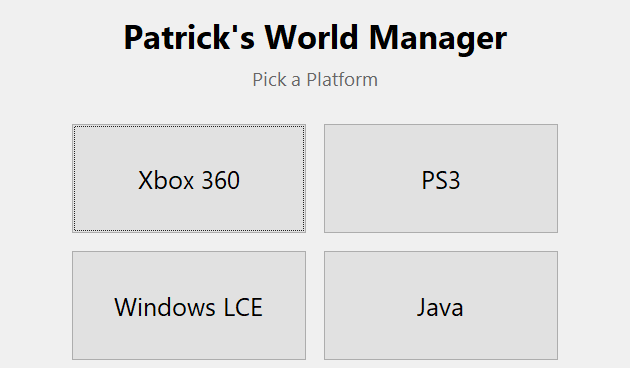
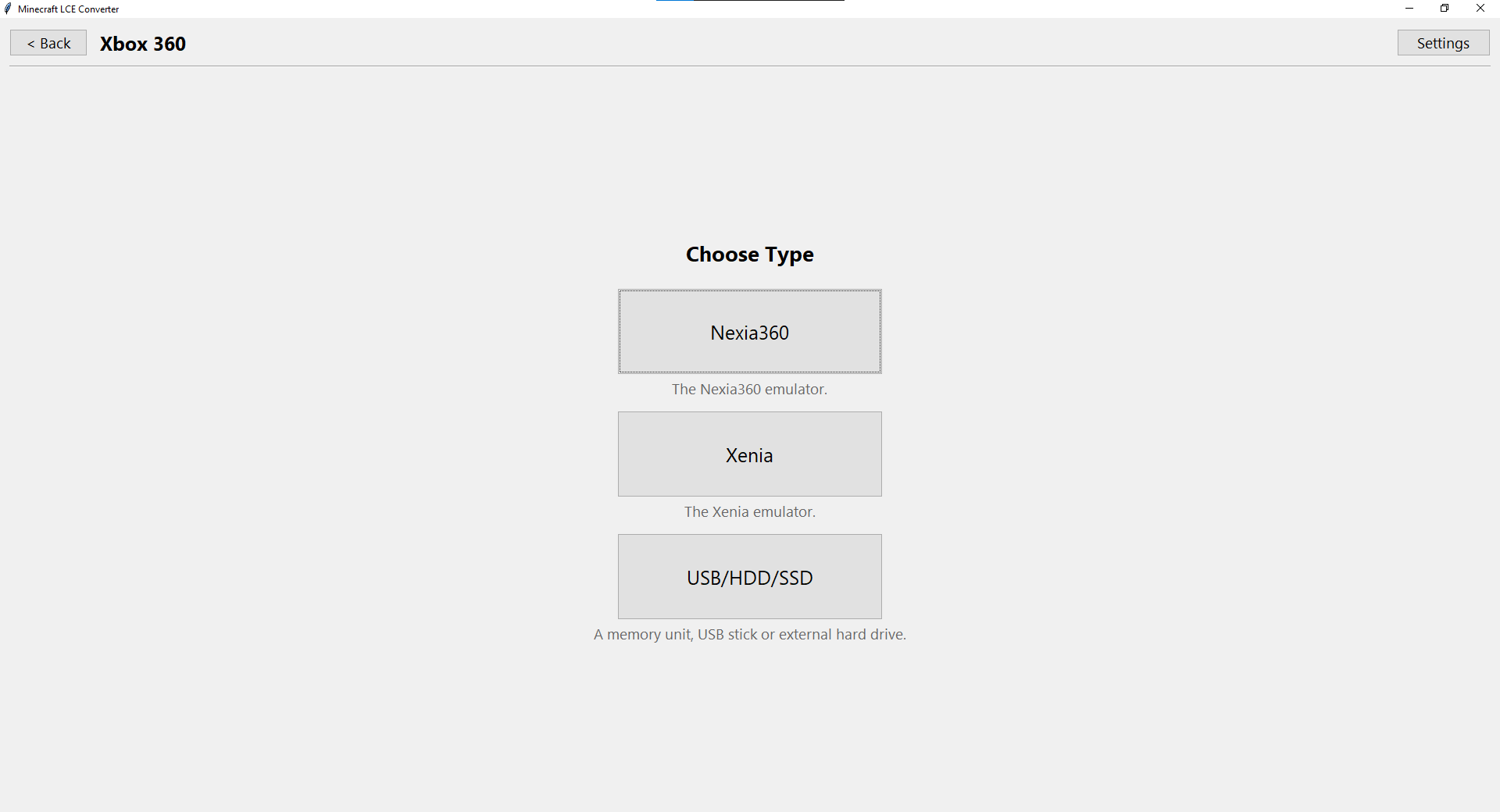
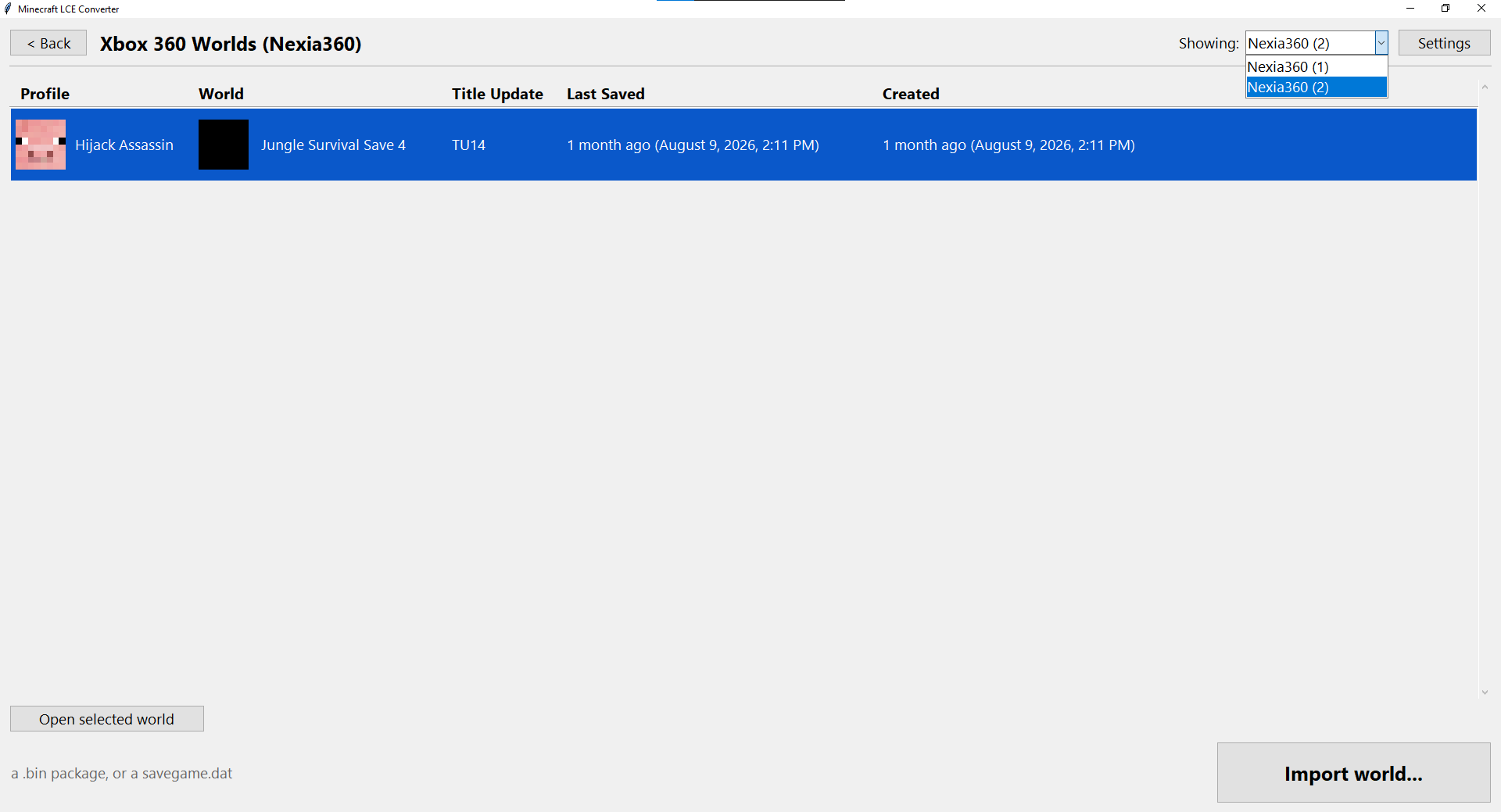
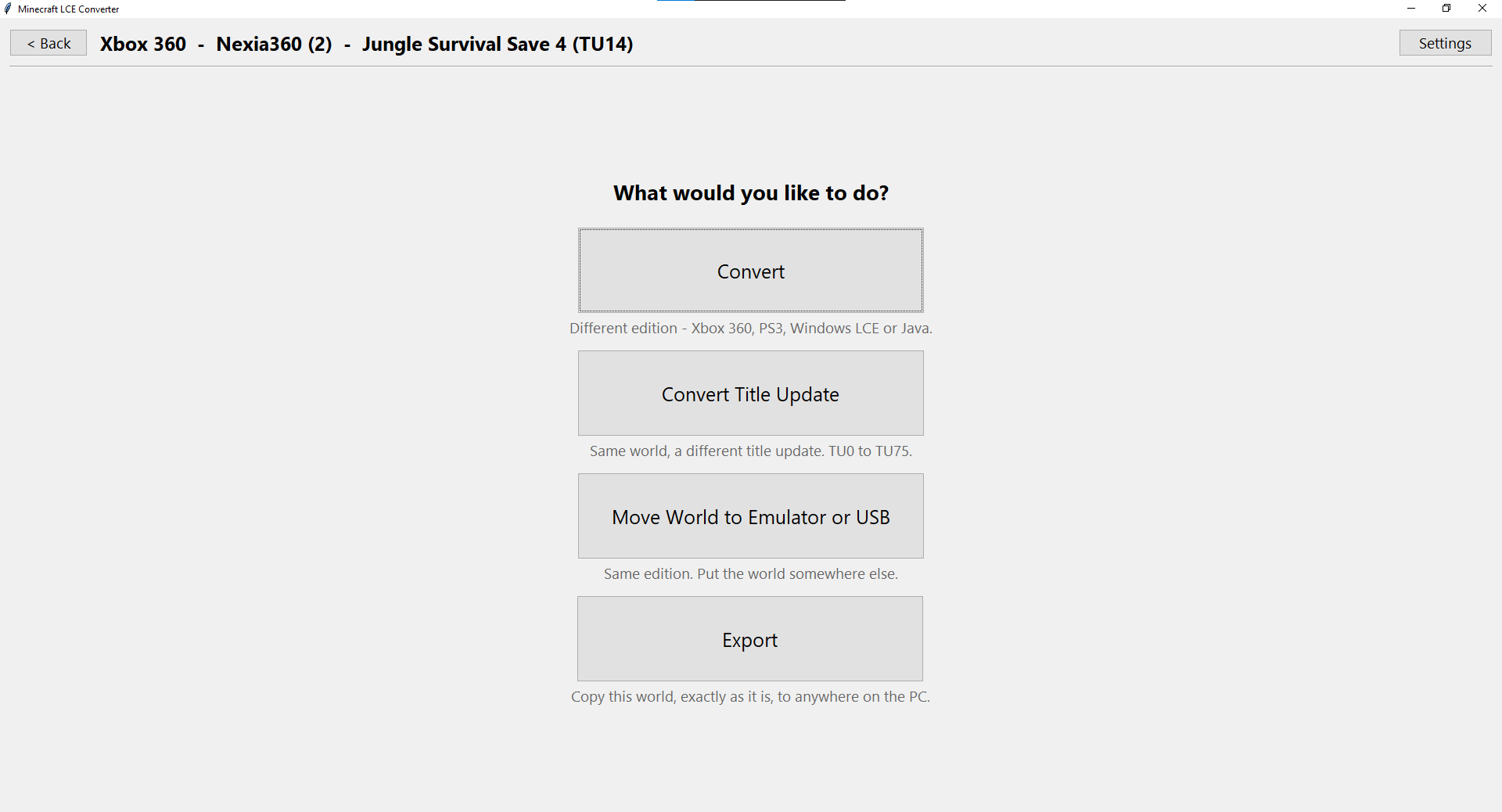
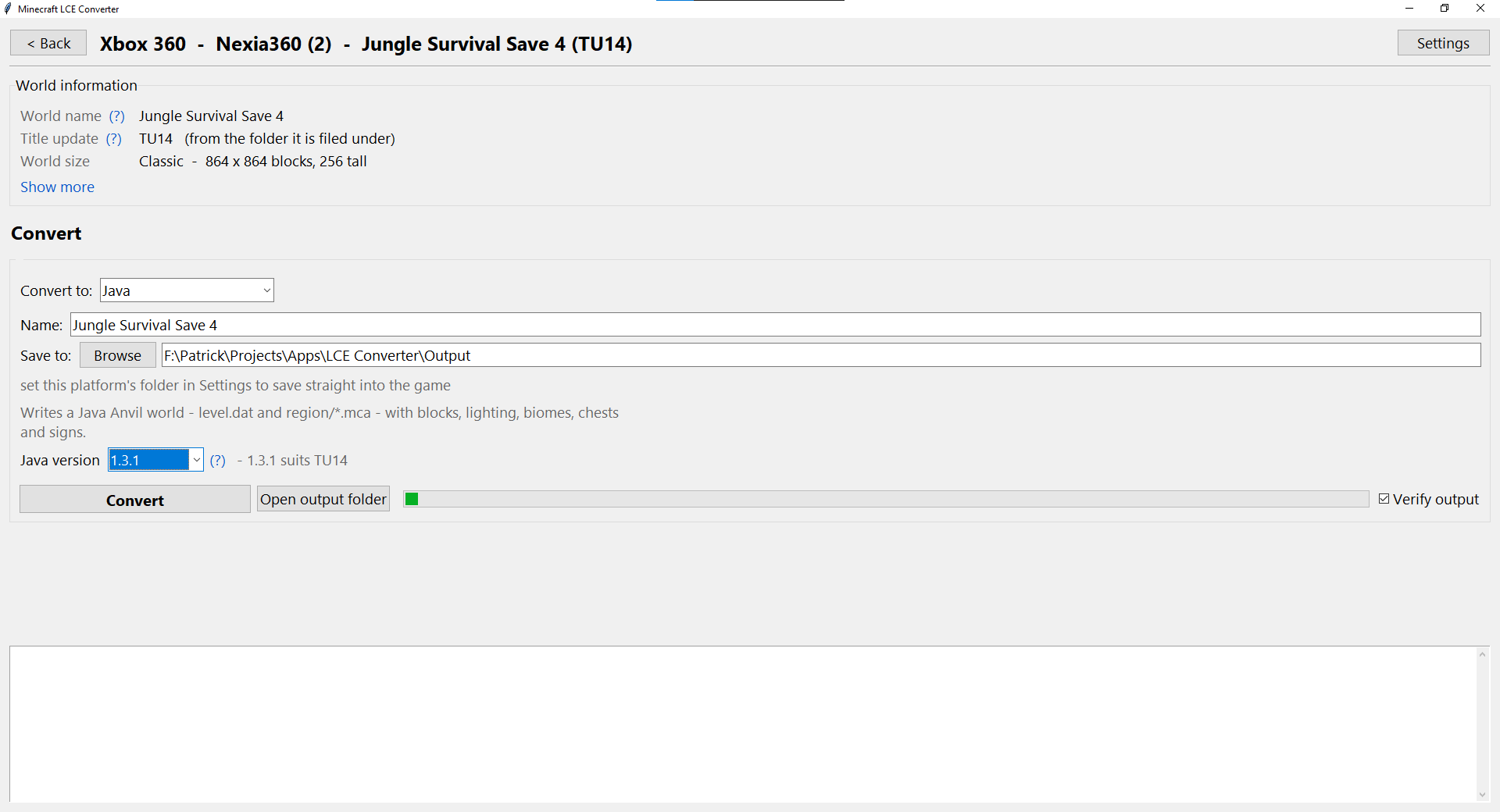
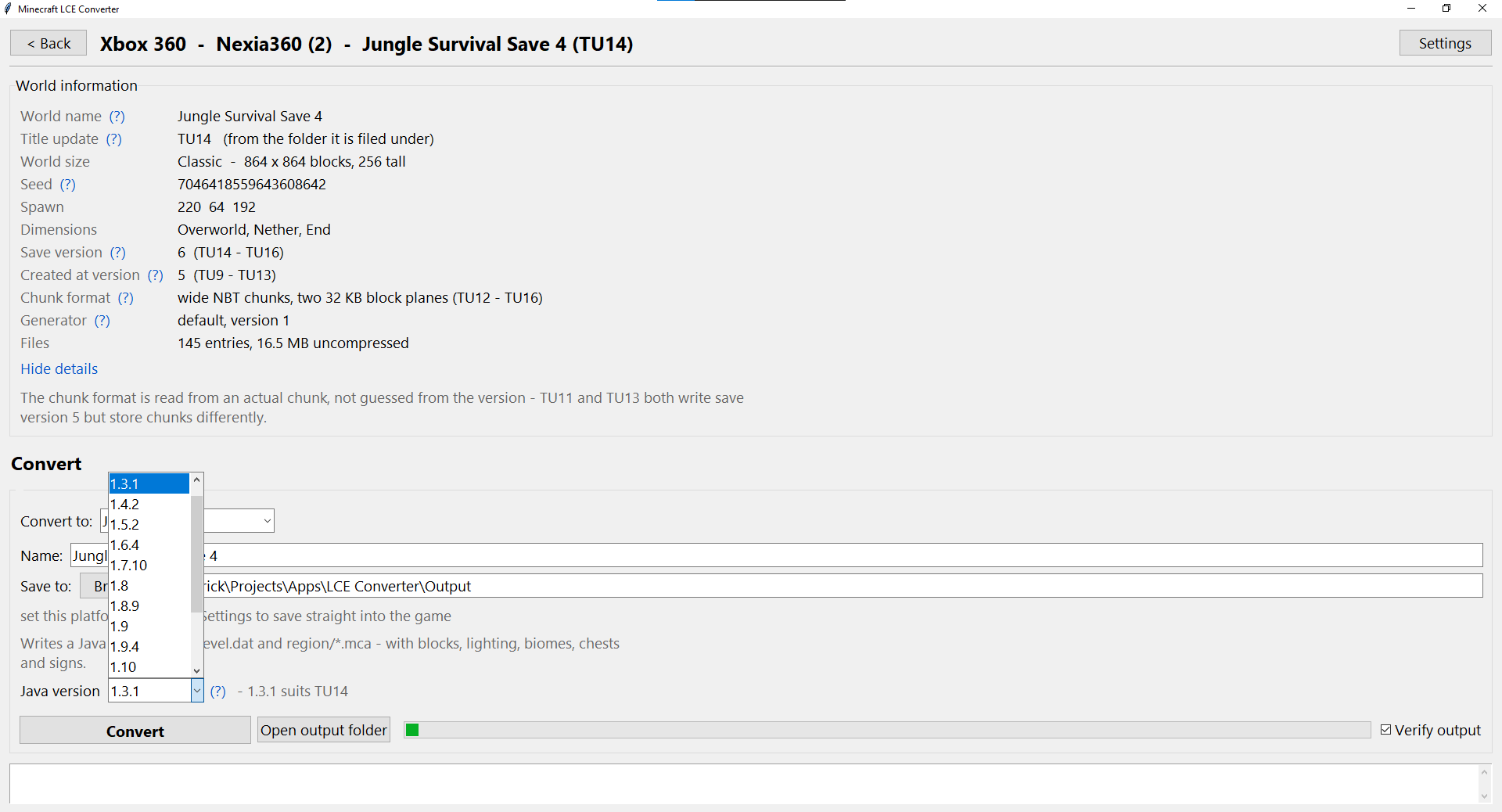
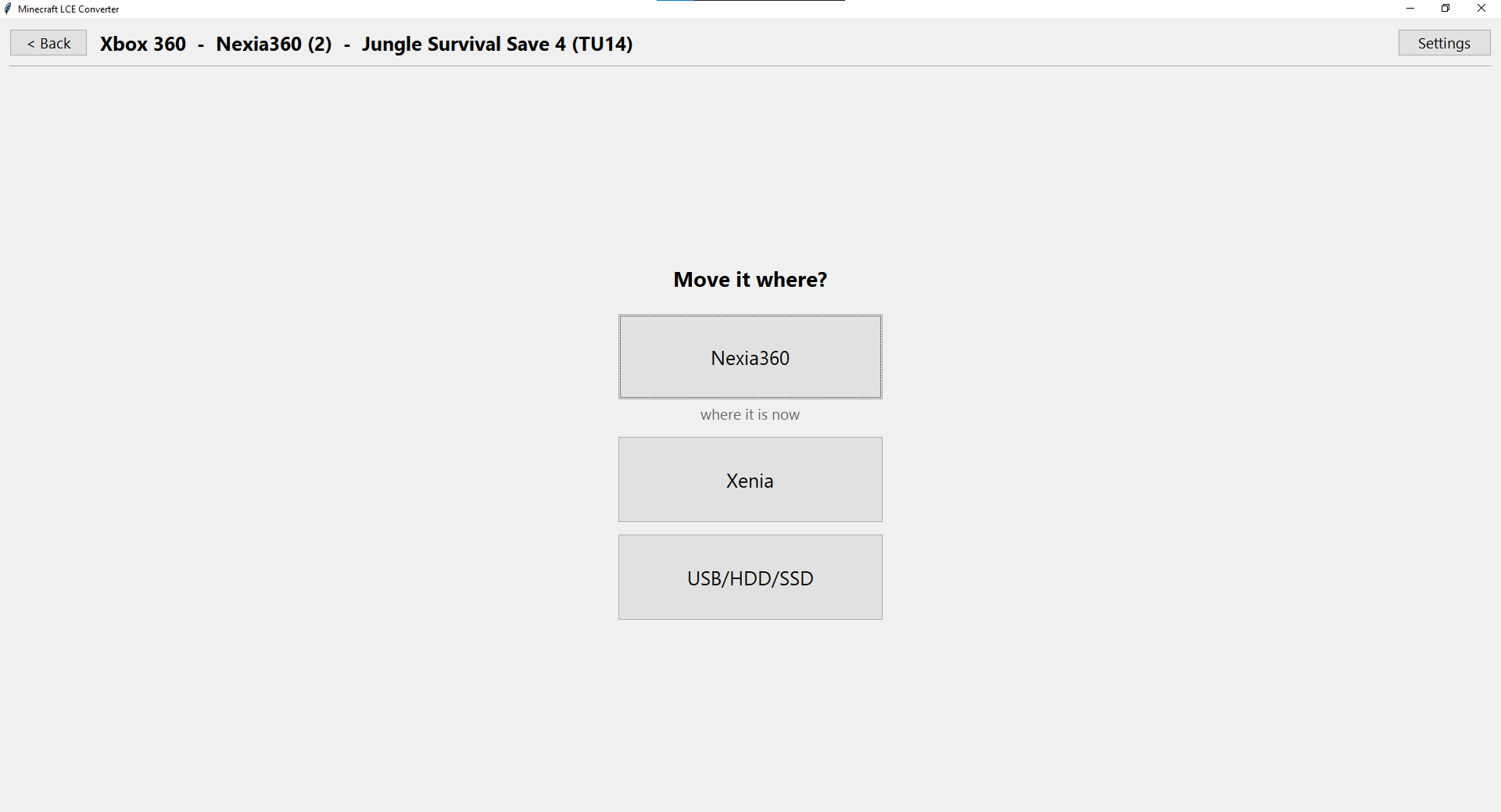
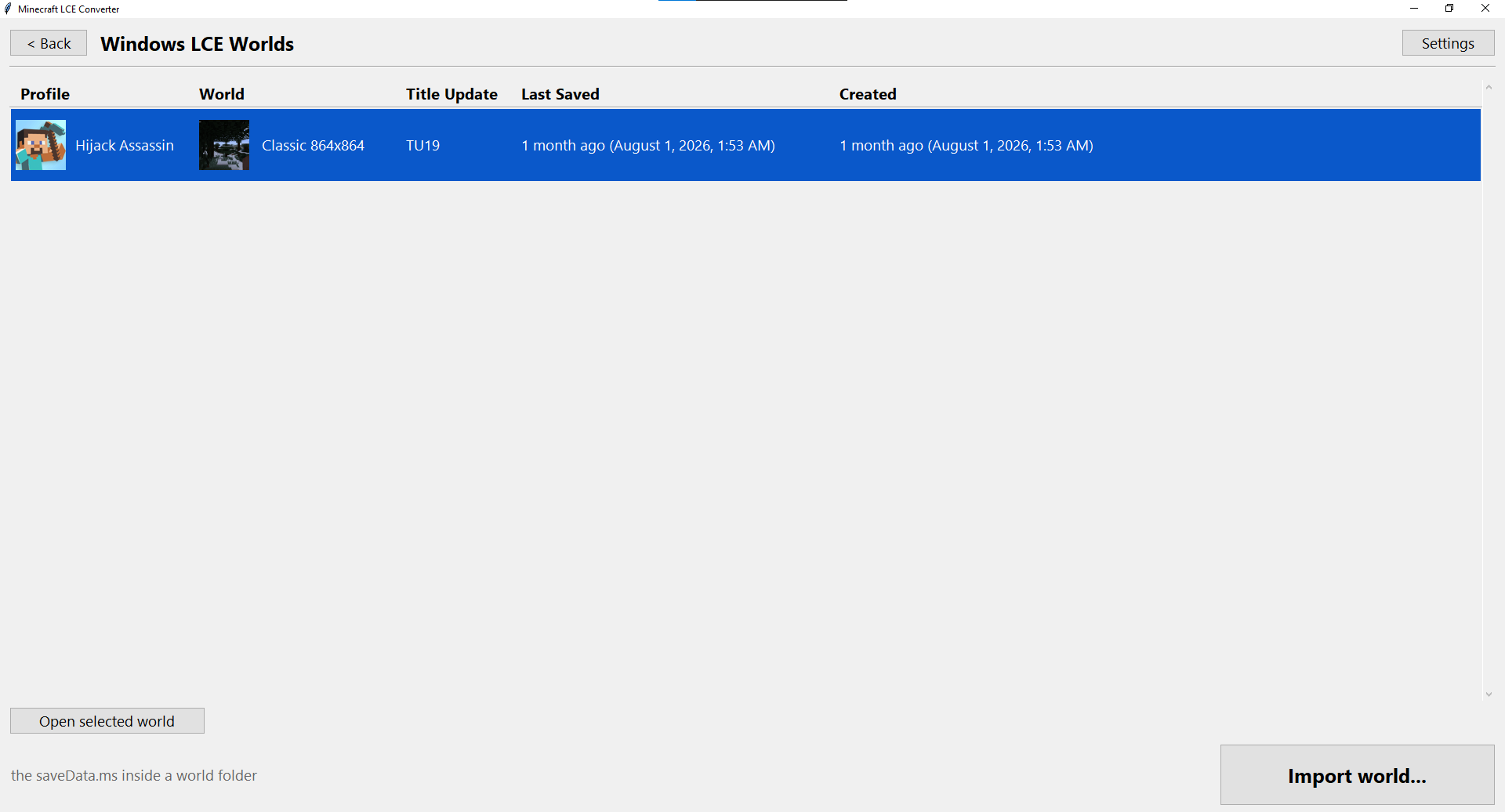
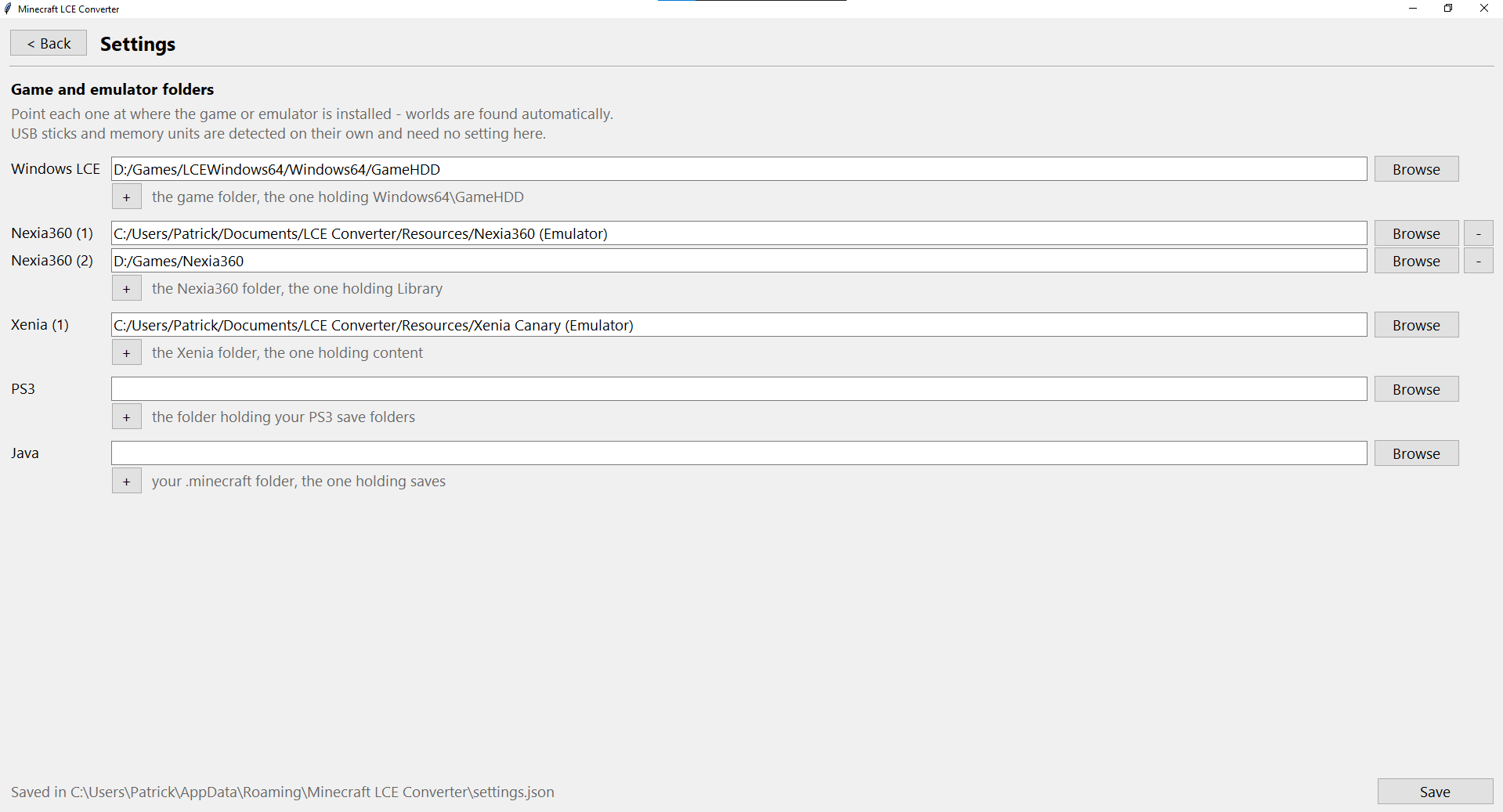
A tool for managing and converting Minecraft Legacy Console Edition worlds. Browse, import, export, rename, duplicate and delete worlds across Xbox 360 (including the Nexia360 and Xenia emulators and USB drives), PS3, Windows LCE and Java Edition, and convert them between title updates and between editions. A world saved on a newer title update can be taken back to an older one without crashing. The focus is on highly accurate conversions that bring your world through exactly the way you left it.
Release Date: July 31, 2026
Last Updated:
Latest Version: V0.2.24
Development Progress
Patrick's World Manager (formerly Minecraft LCE Converter) is in active development. Xbox 360 worlds can be moved between title updates today, and the rest of the platforms are on the way. Check back for updates as new conversions are added.
- Xbox 360 title updates (TU0 – TU75)Working
- Windows LCE → Xbox 360Working
- Items in chests & inventories on older title updatesIn Progress
- Xbox 360 → Windows LCEIn Progress
- PS3 EditionComing Soon
- Java EditionComing Soon
System Requirements
OS: Windows 10 or 11 (64-bit).
Installer: Installs for your Windows user with a Start menu shortcut. No admin rights needed.
Portable: Extract the .rar anywhere and run "Patrick's World Manager.exe".
Application Images
Patch Notes
V0.2.24 November 2, 2026
- Java to Xbox 360: choose what fills the world where the Java world has no land - the game generates it, or nothing but air.
- Java to Xbox 360: chunks Java saved before lighting them now get light the way the console lights its own - no more dark spots under cliffs and overhangs.
- Java 1.2 - 1.12.2 to Xbox 360: the sky above the land is no longer saved dark.
V0.2.23 November 2, 2026
- Java worlds from 1.2 to 1.12.2 can now be converted to Xbox 360 (Java 1.13 already could).
- A Java 1.13 world with chunks it never upgraded from older Java now converts those chunks too.
- Spawners from Java keep their mob on older title updates.
- "360 Reborn" is now called Minecraft Legacy and comes first in the lists.
- The world list updates by itself when worlds are added, saved or deleted outside the app.
- Deleting, renaming or converting into a place is blocked while its game is running.
- Java 1.12.2: kelp, coral, sea pickles, seagrass and bubble columns become water instead of air.
- Java 1.13: spawn eggs keep their mob (they could turn into pig or wrong-mob eggs).
- Java 1.12.2: water bottles stay water bottles, and plain pumpkins from TU69 and newer are kept.
- Converting from Java to older title updates keeps potions and spawn eggs in the form those updates use.
V0.2.22 November 1, 2026
- Java 1.12.2: worlds from every title update (TU0 - TU75) convert to it, with chests, signs, mobs and items in Java 1.12's own names
- New Xbox 360 type "360 Reborn": convert, import and move worlds into the 360reborn folder of any drive you pick (made for you if the drive has none)
- Java 1.13: chests in TU0 - TU4 worlds, skulls and mob heads (the End ship's dragon head) are no longer lost, and maps keep their own map
V0.2.21 November 1, 2026
- Converting is much faster: a whole world to Java in seconds, and Java or title update changes about 5 times faster.
- The progress bar now fills up as the conversion goes, instead of moving back and forth.
- Converting to Java saves into your Minecraft folder from Settings, or the last folder you used.
- Java 1.13 worlds: choose the world border - the console's edge, wide enough for the whole Nether, or none.
- Past the console's land Java can make endless ocean like the console, or new land; flat worlds stay flat forever.
- Fixed: item frames fell off the walls as items in Java.
V0.2.20 November 1, 2026
- Java Edition 1.13 worlds can now be converted to Xbox 360 (any title update, TU75 by default).
- Xbox 360 worlds can now be converted to Java 1.13, 1.13.1 and 1.13.2.
- Fixed: Java worlds made by the app lost their seed, spawn and name when opened in Java.
Time Machine
Creator: Patrick Price
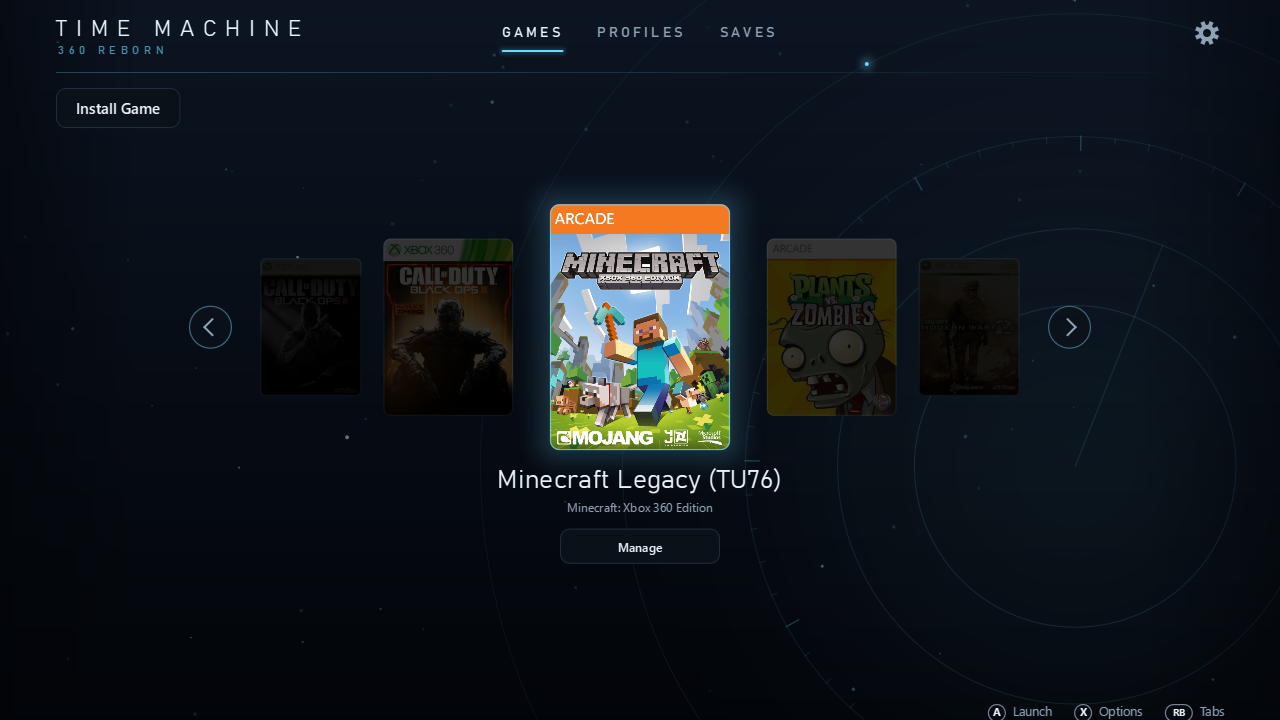
Time Machine is the launcher for 360 Reborn, our Xbox 360 games recompiled to run natively on Windows. Install a game from your own game files, choose the title update it starts with, add its DLC, bring your profiles and saves over from a console or an emulator, and launch it, all from one window you can use with a controller.
Development Started: October 26, 2026
Last Updated:
Latest Version: V0.1.28
Games for this launcher can be found at Games
Getting Started
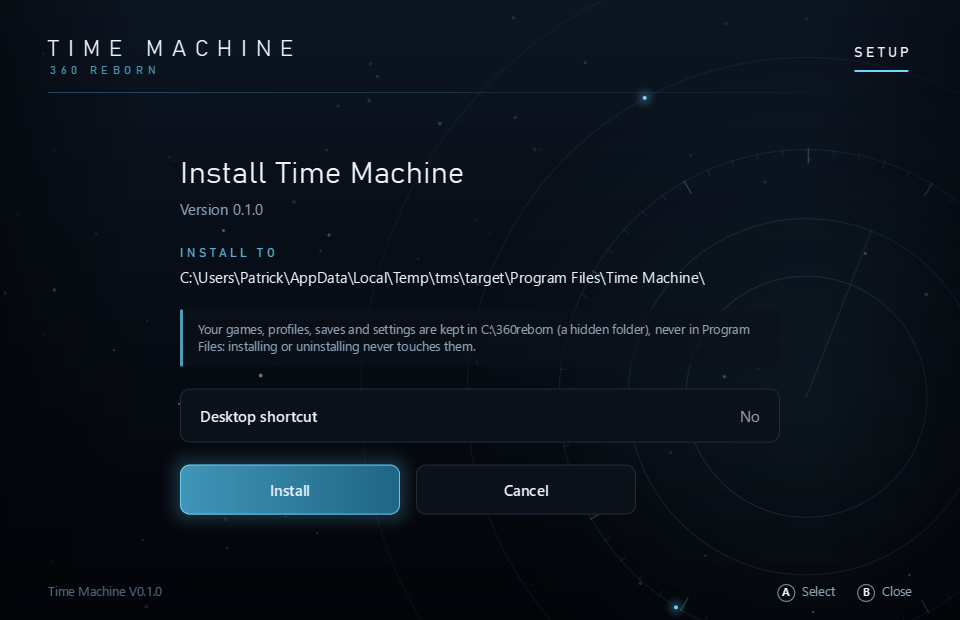
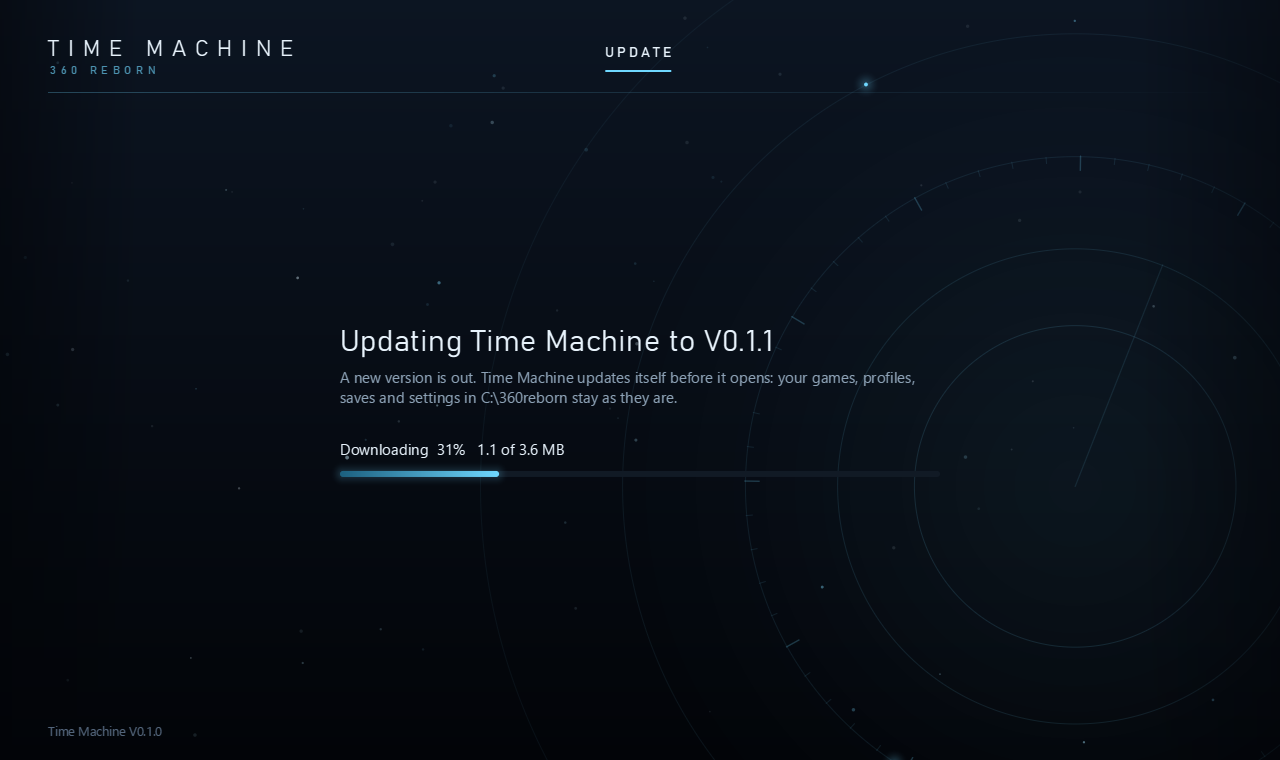
1. Install Time Machine: run the setup above. Time Machine goes into Program Files and the Start menu, and keeps itself up to date: when a newer version is out, it offers it when it starts.
2. Install Game: choose your own game file and title update file (from your console or your own backup). Time Machine checks that they are a supported game and title update, then downloads our recompiled build of that title update; later installs only fetch what changed.
3. Play: pick the title update on the home screen and launch. Your profiles, saves and settings live in a hidden 360reborn folder on the drive you chose, shared by every title update.
Supported Games
The recompiled games Time Machine installs today; their builds download from our own server.
- Minecraft: Xbox 360 Edition TU76 (our own title update, on your TU75 files)Working
- Minecraft: Xbox 360 Edition TU75Working
- Minecraft: Xbox 360 Edition TU46Working
- Minecraft: Xbox 360 Edition TU4Working
What It Does
- Install Game from your own game files and title updatesWorking
- Manage: title updates, DLC (with their own pictures) and savesWorking
- Import profiles and saves (console USB stick, files, Xenia and Nexia360)Working
- Updates itself when it starts (Update or Skip)Working
- More gamesComing Soon
System Requirements
OS: Windows 10 or 11 (64-bit), with a graphics card that supports DirectX 12.
Game files: Your own copy of each game and its title update. None of the games' files are included.
Internet: Needed for Install Game (the builds come from our own server, which can be offline at times) and to check for a new version of Time Machine; without it, Time Machine still opens.
Privacy: When Time Machine starts and when you press Play, it tells our Xbox LIVE server a random install number, its version and which title updates are installed or played, so we can count installs and players. Nothing else is sent: no name, no files, no details about your PC, and nothing at all when you are offline. Your gamertag is only seen by our Xbox LIVE server when you sign in to it, as on a console. To turn the count off, set usage_report = 0 under [launcher] in C:\360reborn\time_machine.ini.
Screenshots
Patch Notes
V0.1.28 November 5, 2026
- Start-up check: no Checking for updates screen; the pages open at once with a bottom bar (Checking for updates: Time Machine, then each title update); the question over the pages...
V0.1.27 November 5, 2026
- A game's system_ui folder is always installed again (only the Guide modules come from the 360 Reborn dashboard), so every game keeps a Guide.
V0.1.26 November 5, 2026
- Games no longer get their own copy of the Xbox Guide's console files when the 360 Reborn dashboard is installed: they use the dashboard's (one shared Guide folder).
V0.1.25 November 5, 2026
- Minecraft TU4 now has a native ARM64 build (Windows on ARM PCs)
V0.1.24 November 4, 2026
- When updates are available, Time Machine asks once at start: Update, or Skip for now (it asks again the next time it starts)
- TU75 is now called Update Aquatic; new descriptions for TU76 and TU77
- TU77 is not offered yet
V0.1.23 November 4, 2026
- Time Machine now says Checking for updates when it starts and opens once everything is up to date: itself first, then every installed title update on the same screen
- The Update buttons on Title Updates are gone: title updates are updated at the start (without a network, Time Machine opens right away)
V0.1.22 November 4, 2026
- TU46 is no longer offered on the Title Updates page (an installed TU46 is still listed, so it can be played or deleted)
V0.1.21 November 4, 2026
- Title Updates lists every title update on the Minecraft Legacy plan: the ones not recompiled yet say Planned, each shows its name (Foundation Era, Village & Pillage...)
- Click a title update's row to see its info at the right (what it brings, status, release date); it shows the current one until you click another
- TU4 and TU46 say ARM64 not supported yet
V0.1.20 November 4, 2026
- Windows on ARM PCs (Snapdragon laptops) now download the games' native ARM64 build, so Minecraft starts normally with sound there.
- Other PCs download nothing new.
V0.1.19 November 3, 2026
- Install by recompiling works again for TU75, TU76 and TU77 (the title updates' new folders); TU77 can be recompiled on your PC.
360 Reborn
Creator: Patrick Price
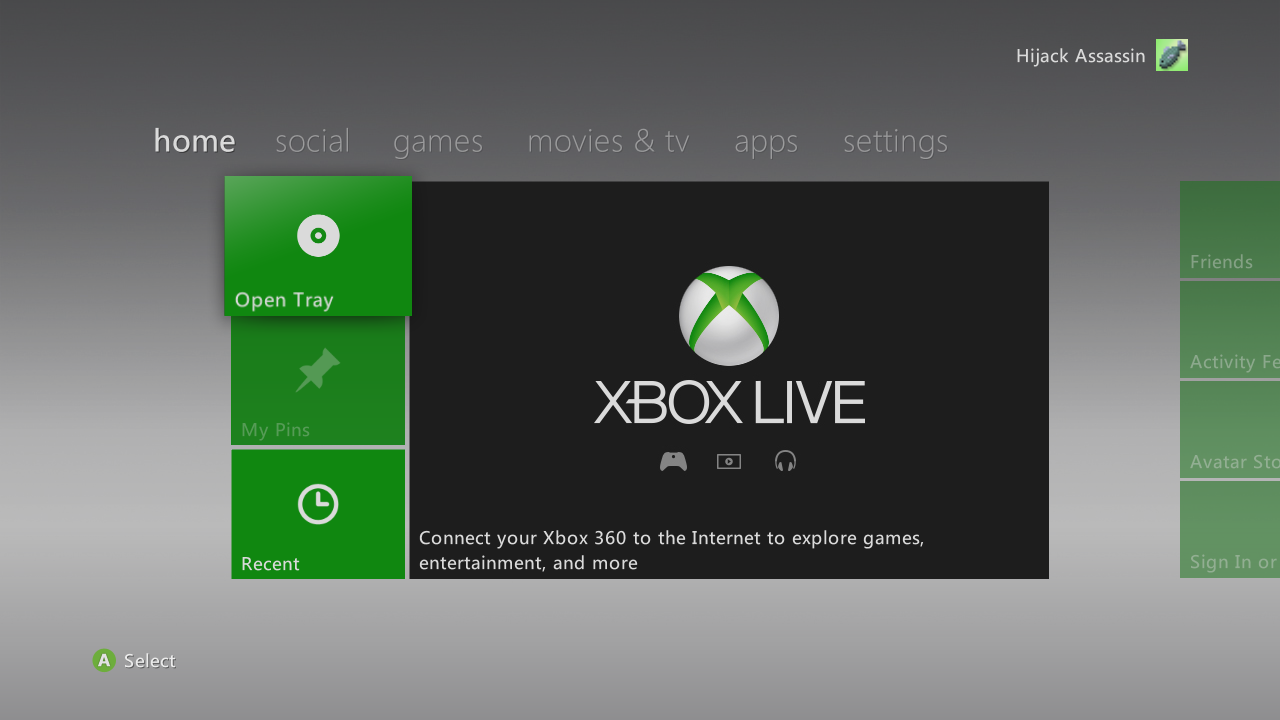
360 Reborn Setup installs the Xbox 360 dashboard (Metro, system update 2.0.17559) on your PC. Choose the folder with your Xbox 360 files; it checks them, recompiles the dashboard on your PC from them (a few minutes), installs it with our Xbox LIVE server and puts "Xbox 360" on your desktop and in the Start menu.
Development Started: November 3, 2026
Last Updated:
Latest Version: V0.1.2
To get the required Xbox files, go to this page: Xbox Files
Getting Started
1. Get the Xbox files: the button above opens the Xbox 360 Dashboard page (it asks for the testers' password); download its Dependencies and extract them into a folder.
2. Run 360 Reborn Setup: choose that folder and press Set Up. It recompiles the dashboard on your PC, which takes a few minutes.
3. Start it: "Xbox 360" on your desktop or in the Start menu. Ctrl + B opens the Time Machine overlay in the dashboard.
System Requirements
OS: Windows 10 or 11 (64-bit), with a graphics card that supports DirectX 12.
Xbox files: the 2.0.17559 system update, a NAND dump and the console's online files (the Dependencies download, or your own console's).
Internet: Needed during Set Up for the recompile tools, and for our Xbox LIVE server.
Screenshots
Xbox LIVE Status
Our own Xbox LIVE server for the Xbox 360 recomps: sign-in, friends, messages, parties.
Checking...
Up for
-
Players online
-
Uptime, last 30 days
-
Each day, last 30 days (your time)
30 days agoToday
Checked every 30 seconds.